What is a Program?
Last updated: June 17, 2026
Programs are how you run a complete ABM campaign inside Influ2. Instead of managing your audience, journey, and ad campaigns in separate places, a Program brings them together so you can manage, monitor, and optimize in one place .
A Program has three core components:
Cohort (your target audience)
Journey (the stages and steps you want those targets to move through)
Actions (the activities you want to trigger at each stage in the journey)
What you'll see: the Programs List
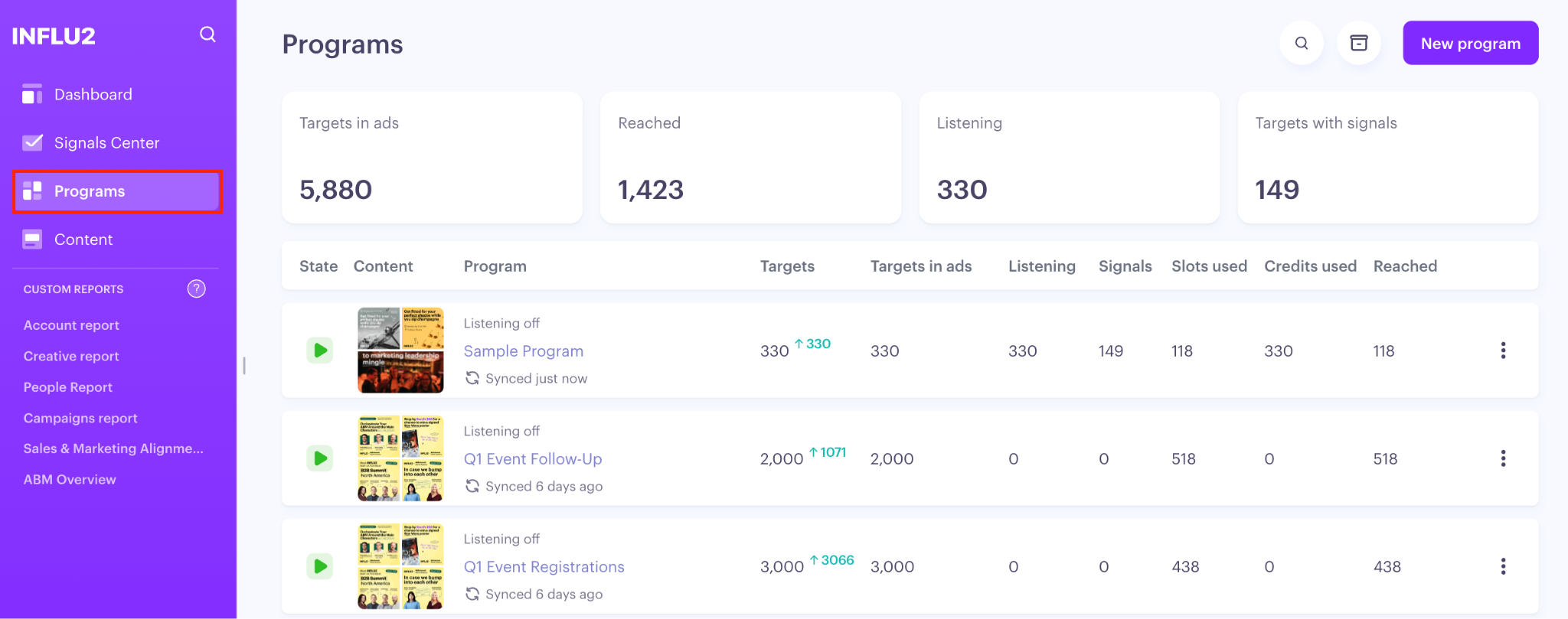
Go to Programs in the sidebar to see your Programs List. This is your homepage for all active ABM programs.
Scorecards
Across the top of the Programs List, four scorecards give you an instant read on how your programs are performing in aggregate. These reflect all active and paused programs (archived programs are excluded).
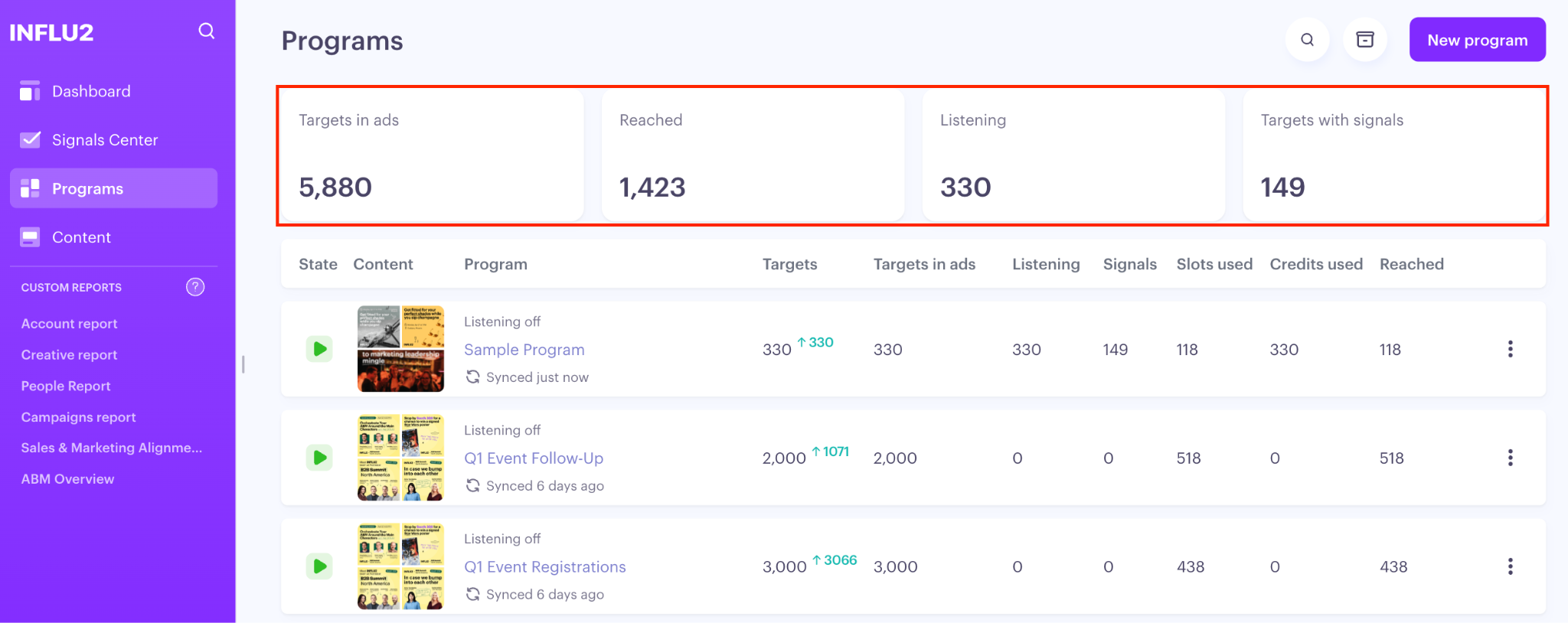
Targets in ads: The number of unique targets who are actively being served ads right now across all programs. If this number is lower than expected, check whether your programs are active and your campaigns are running.
Targets reached: The number of unique targets who have been reached with ads out of the current active audience. Compare it to Targets in ads to see your match rate %.
Targets in listening The number of unique targets currently enrolled in Audienscope intent signal listening across all programs. If this is low, consider enabling signal listening in more of your programs.
Targets with signals The number of unique targets of current active audience who have shown at least one intent signal — Search Intent, Content Intent, Social posts, or Website Visits. These are the targets worth prioritizing for outreach.
The program table
Below the scorecards, each row is a program. You'll see:
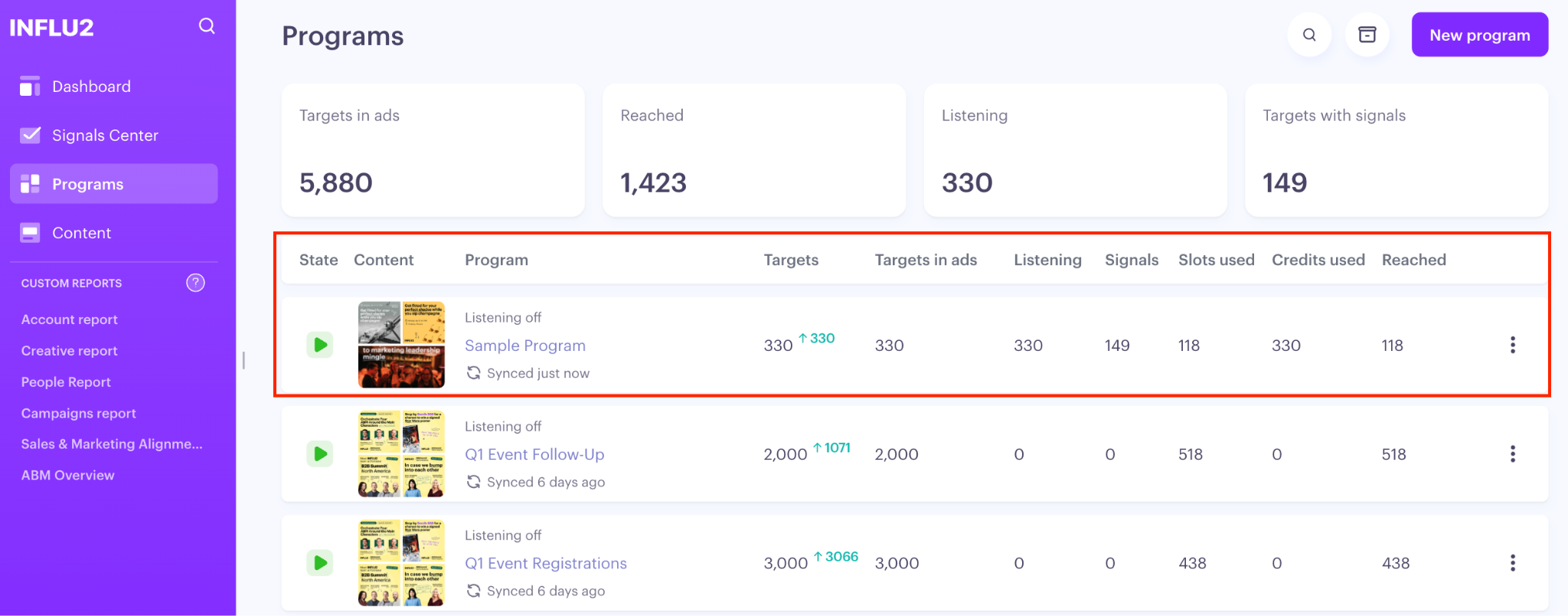
State — Active, Paused, or Archived status badge
Content — Thumbnail previews of up to 4 content pieces running in the program
Program — The program name (click to open it)
Targets — Total audience for this program
Targets in ads — How many unique targets are being targeted with ads
Listening — How any unique targets signals are being detected for
Signals — How many total signals have been detected from the total active listening targets
Slots used — How many advertising slots have been consumed from reached targets
Credits used — How many Audienscope credits have been consumed from active listening audience
Reached — How many unique targets have been successfully shown ads
Listening type — Whether signal listening is set to All signals, Job change only, or Off
What's next
If you're just getting started with your first program, head to the Programs help section next for more detailed guidance on program launch steps and execution.