Using Outreach with Influ2
Last updated: June 12, 2026
Connecting Outreach to Influ2 keeps marketing and sales efforts closely aligned. Marketing teams can build program cohorts from Outreach sequences, add contacts to sequences at the precise right step in their journey, and Sales reps can see engagement right inside Outreach, so all outreach efforts stay relevant and timely.
Getting started
If you haven't connected yet, start with How to integrate Influ2 with Outreach, which covers prerequisites, connection steps, and basic notification setup. This article picks up from there — expanding on use cases and showing the full picture of what Influ2 reads and writes in your Outreach instance.
Terms to know
There are two terms used throughout this article to get familiar with:
A Prospect is the Outreach object — a person record.
A Journey is an Influ2 concept — a configurable sequence of stages and conditions that move audience members through a marketing Program, and can trigger actions in connected tools like Outreach.
How the Influ2 Outreach integration works
The integration is two-way. Each direction does a different job, so it helps to stay familiar with both. Let's break them down:
Influ2 → Outreach
Influ2 writes ad engagement notifications to the Activity section of each Prospect's profile in Outreach. Sales reps see exactly when prospects view ads, click, or visit the landing page— without leaving Outreach. Influ2 can also enroll prospects in sequences automatically when a target hits a stage in a Program journey, and can create a Prospect record if one doesn't exist yet (if you choose to enable that).
Outreach → Influ2
Influ2 pulls Prospect records and sequence activity from Outreach. This powers two important parts of the product:
Journey routing: Outreach activity drives journey conditions like Recently outreached, Days without outreach, Day in sequence, and Outreach touchpoints — so targets move through stages based on real sales effort, not just ad engagement.
Audience creation: Outreach sequences can be used as an audience source for Influ2 Programs.
Using Outreach with Influ2 Programs
Programs let you trigger Outreach actions automatically as targets move through a journey. The most common action is enrolling a prospect in a sequence the moment they hit a specific stage — so sales effort lines up with the marketing motion without manual handoff.
Adding a Prospect to a sequence
When you configure an Add to Sequence action on a journey stage, three settings control how it behaves.
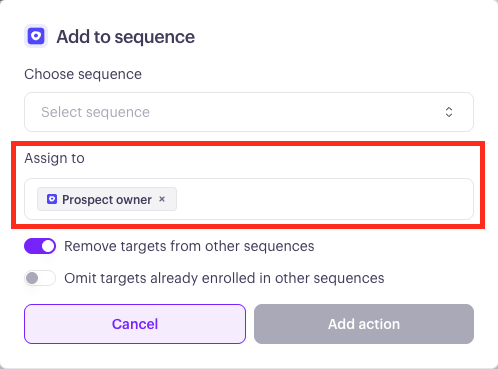
Sequencer (assign to). The Outreach user the enrollment is performed on behalf of. This is who the enrollment appears as in Outreach, and whose mailbox is used to send sequence emails. You have three options:
Prospect Owner — whoever currently owns the prospect in Outreach
Static — a specific user you choose
Dynamic — resolved from a field in your CRM, like Account Owner. If the Dynamic resolver can't find a match, Influ2 falls back to the integration user.
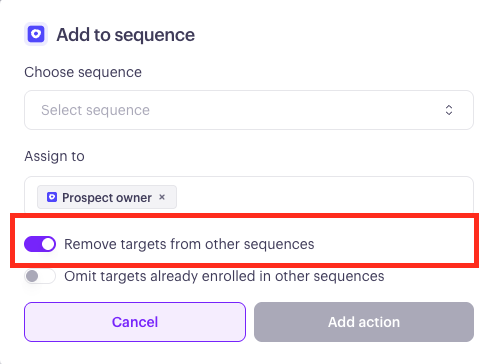
Remove from previous. If on, the prospect is removed from any sequences they're currently active in before being added to the new one. If off, existing memberships are left alone.
Skip if active. If on, the prospect is skipped entirely if they're already active in any sequence. If off, the prospect is added regardless.
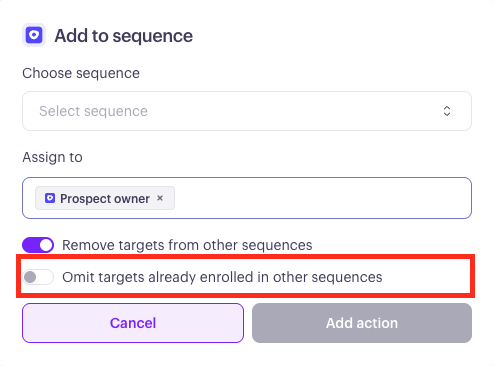
Keep in mind: if a prospect has ever been in the selected sequence before — including a sequence they finished — Influ2 won't re-enroll them. To put someone through a sequence again after they've completed it, an admin needs to manually remove the existing sequence state in Outreach first. A finished status in a different sequence doesn't count as active and won't trigger Skip if active.
Auto-create Prospect
The auto-create toggle and its basic behavior are covered in the How to integrate Influ2 with Outreach article. When Influ2 does create a Prospect, four fields get written:
Email
First_name
Last_name
Company.
The new Prospect is assigned to the integration user. Custom fields, tags, and any other Outreach-specific data aren't written.
Journey conditions that use Outreach data
Outreach activity also drives how targets move through a journey. When you build or edit a journey, you can route targets based on real sales effort.
Day in sequence: Routes targets based on which day they're on in a specific Outreach sequence.
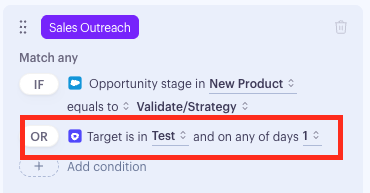
These conditions work for both Outreach sequences and Salesloft cadences — Influ2 normalizes the data so you build journeys the same way regardless of which tool your team uses.
What Influ2 reads and writes in your Outreach instance
This section is written for sales operations or IT teams reviewing the integration before rollout.
Access requested
When you connect Influ2 to Outreach, you authorize access to the following object types under the connecting admin's account. Influ2 doesn't request access to anything outside this list — no email content, no call recordings, no templates, no snippets.
Object | Access | Purpose |
Prospects | Read + Write | Read for target matching, write for auto-creat |
Sequences | Read | Populate sequence dropdowns in journey configuration |
Sequence States | Read + Write | Read enrollment status, write to add and remove prospects |
Users | Read | Resolve sequencer identity and ownership |
Mailboxes | Read | Required to enroll a prospect on behalf of a user |
Accounts | Read | Link prospects to their company record |
What gets written, and when
Three things, each independently controllable from inside Influ2:
Engagement notifications. Written to a Prospect's Activity feed in Outreach. Triggered by ad engagement. Default state on connection: all off.
Prospect records. Written only when Auto-create is enabled and a journey action runs for a target with no matching Prospect. Fields written: email, first_name, last_name, company. Default state on connection: off.
Sequence memberships. Influ2 adds prospects to a sequence (and optionally removes them from active ones) when a journey stage runs an Add to Sequence action. Sequence content itself is never modified.
What stays under your control
Even with the integration connected, these areas are never touched by Influ2:
Sequence content (steps, templates, schedules, archival status) is never modified or deleted.
Email content, call recordings, and templates are never read or modified.
Prospect ownership isn't changed after creation — once an owner is set, Influ2 doesn't rewrite it.
Existing Prospects aren't bulk-modified — the only Prospect write is the per-target auto-create.
Outreach users, roles, permissions, and mailbox configuration are never created or modified.
Errors and retries
When a write to Outreach fails — the API is unavailable, a sequence ID is invalid, a mailbox isn't found — Influ2 records the failure against that specific journey action with a failed status and an error message. The journey keeps running for other targets; one failure doesn't halt the journey.
Influ2 doesn't automatically retry failed actions today. You can review failed actions in the Program journey activity view and manually re-trigger them. For systemic failures like extended Outreach outages, Influ2 customer success reaches out proactively and coordinates recovery.
API limits and monitoring
Two distinct limits apply to Outreach API usage.
The Outreach platform ceiling. Outreach enforces a hard cap of 250,000 requests per day per integration. This is set by Outreach and can't be exceeded.
Your Influ2 cap. Influ2 maintains its own configurable cap on top of that ceiling — you set it under the Connection tab, defaulting to 250,000. Most teams set it lower to reserve headroom for other Outreach integrations or manual use.
Daily usage against your Influ2 cap is visible under Settings → Integrations → Outreach → Connection.
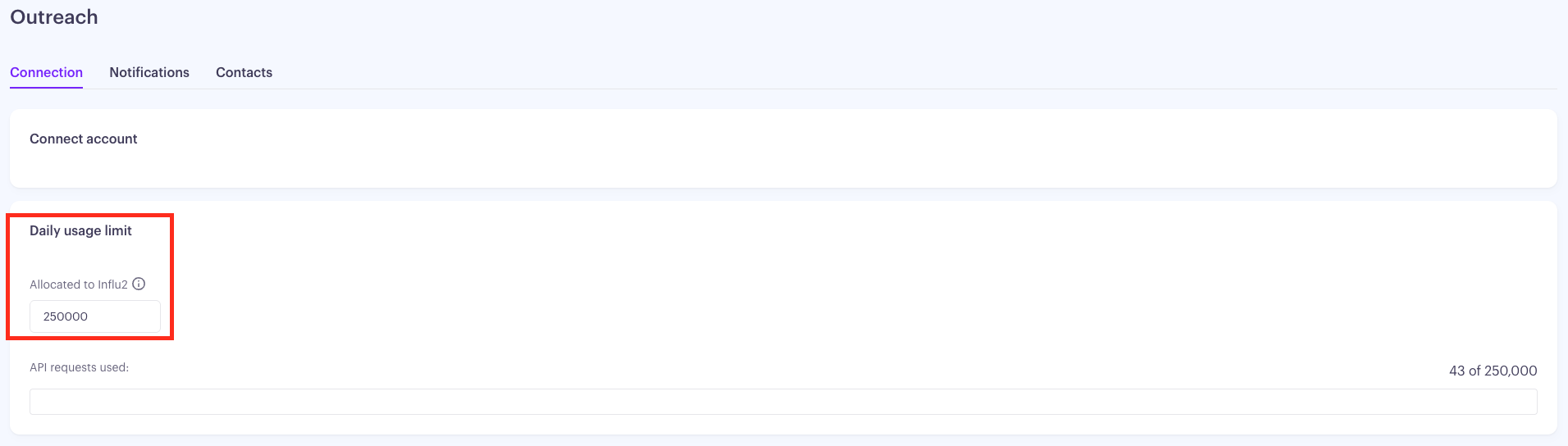
If the cap is reached, further requests to Outreach are blocked until the next daily reset. Blocked requests are logged inside Influ2's system logs. Email or in-product alerts to administrators when the cap is hit aren't part of the integration today — monitor the Connection tab proactively, or contact Influ2 customer success to be looped in when alerts fire.
Authority and Audit
Writes performed by Influ2 appear in Outreach under the user who connected the integration, unless a Sequencer setting specifies otherwise. Sequence enrollments performed under a Static or Dynamic Sequencer appear under that user's name and use that user's mailbox — matching standard Outreach behavior. All writes are visible in standard Outreach audit logs.
Dynamic Owner Assignment fallback events — where Influ2 couldn't resolve a CRM-based owner and used the integration user instead — are recorded in Influ2's system logs. They aren't surfaced as admin notifications today. To audit how often the Dynamic resolver falls back, request the relevant logs from Influ2 customer success.
Data refresh frequency
Reads from Outreach run on a recurring schedule managed inside Influ2. The interval isn't customer-configurable; expect data freshness on the order of hours, not minutes. Real-time checks — like verifying sequence enrollment immediately before a journey action runs — happen at the moment of the action and don't depend on the scheduled sync.
Disconnecting and data retention
You can disconnect the integration from either side at any time. From Influ2: Settings → Integrations → Outreach → Disconnect.
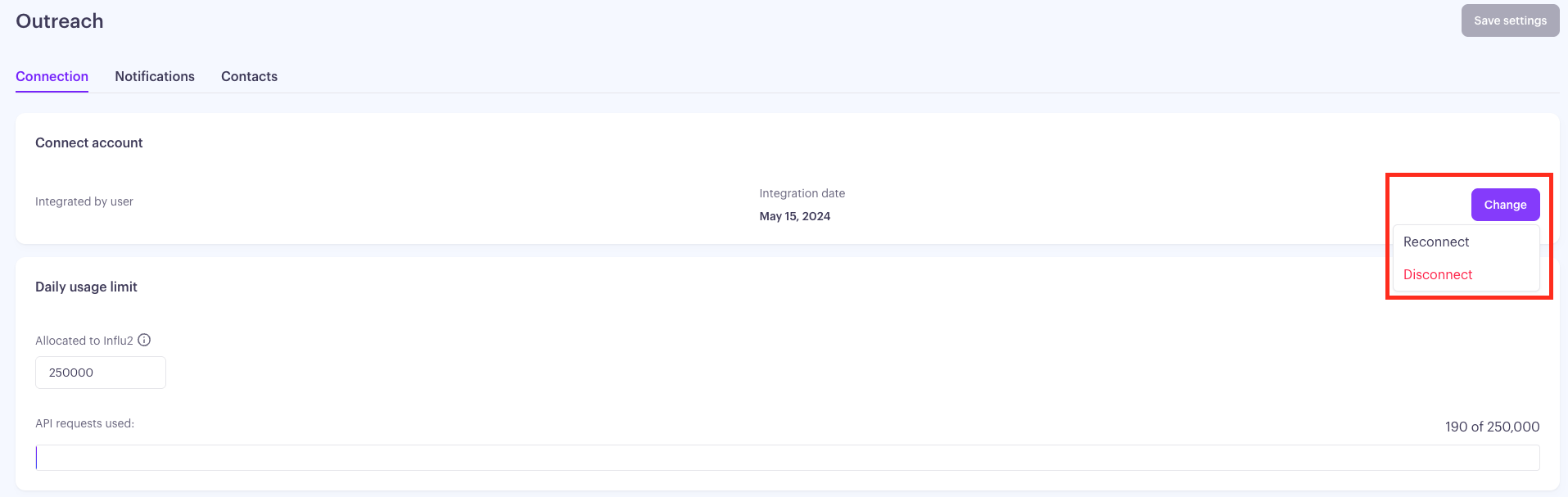
From Outreach: revoke the Influ2 OAuth grant. Either way, Influ2 immediately stops reading from and writing to Outreach.
Prospects, sequences, and sequence memberships previously created or modified by Influ2 stay in place — Influ2 doesn't roll back its writes. Data Influ2 has copied from Outreach (Prospect records, sequence enrollment state, user references) continues to exist in Influ2's storage after disconnection. Specific retention durations and deletion procedures are governed by Influ2's data retention policy — if you have specific retention or deletion requirements, request the current policy from Influ2 customer success.