Understanding “Influ2 Suggested” Signals
Last updated: May 18, 2026
A signal labeled as “Influ2 Suggested” means intent was detected from a contact who couldn't be matched to anyone currently enrolled in one of your Influ2 programs at the moment the signal was generated. This guide breaks down where these signals come from and how to use them.
Influ2 suggested signals are detected across four intent types:
Search intent — searches that match your relevant topics and keywords
Content intent and website visits — page views on relevant content, from both third-party content sources and your own website
New hires and company changes — job moves across companies you care about
These signals are labeled “Influ2 Suggested” so you can easily spot that they came from outside your existing target audience. The label is at the signal level, not the contact level — so the same contact can have audience-matched signals from one moment and Suggested signals from another as your audience evolves.
Where you'll see them
Signals Center
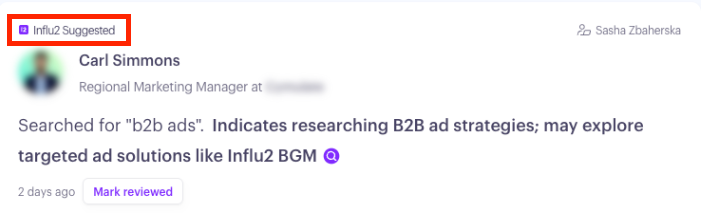
Suggested signals appear in your main feed alongside audience-matched signals, with a visible Suggested label on the signal card.
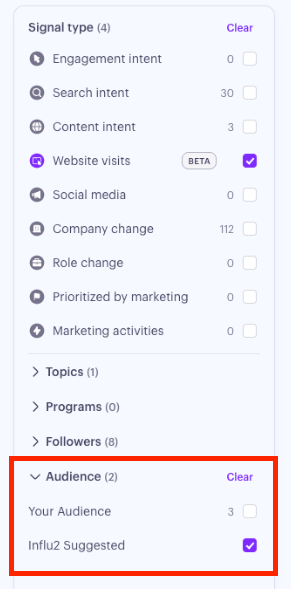
Use the Audience filter to slice the feed:
Your Audience shows signals from contacts matched to your client audience — useful for daily seller workflows.
Influ2 Suggested shows signals from expanded targets that couldn't be matched to an existing target in your Program — useful for prospecting when you're looking to reach a broader buying group within your accounts or to prospect into new accounts.
If a Suggested signal has related signals from other members of the same buying group, those appear nested under the main signal so you can see the full pattern of interest at once.
How follower notifications work
Who gets notified
For audience-matched signals, follower assignment use your standard Follower rules — the CRM owner mapping, additional followers, and any cohort rules you've set up under Account Settings → Followers.
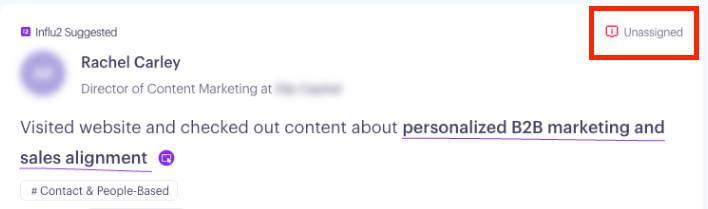
For Suggested signals, the contact isn't in your audience yet, so the standard CRM owner mapping won't usually work. If the new contact belongs to an account that already has followers assigned, the same followers will be assigned to the new contact. If no follower can be mapped, the signal is tagged Unassigned — it stays visible to Admin and Manager roles (who can route it) but won't appear in an individual SDR's feed.
What the notification looks like
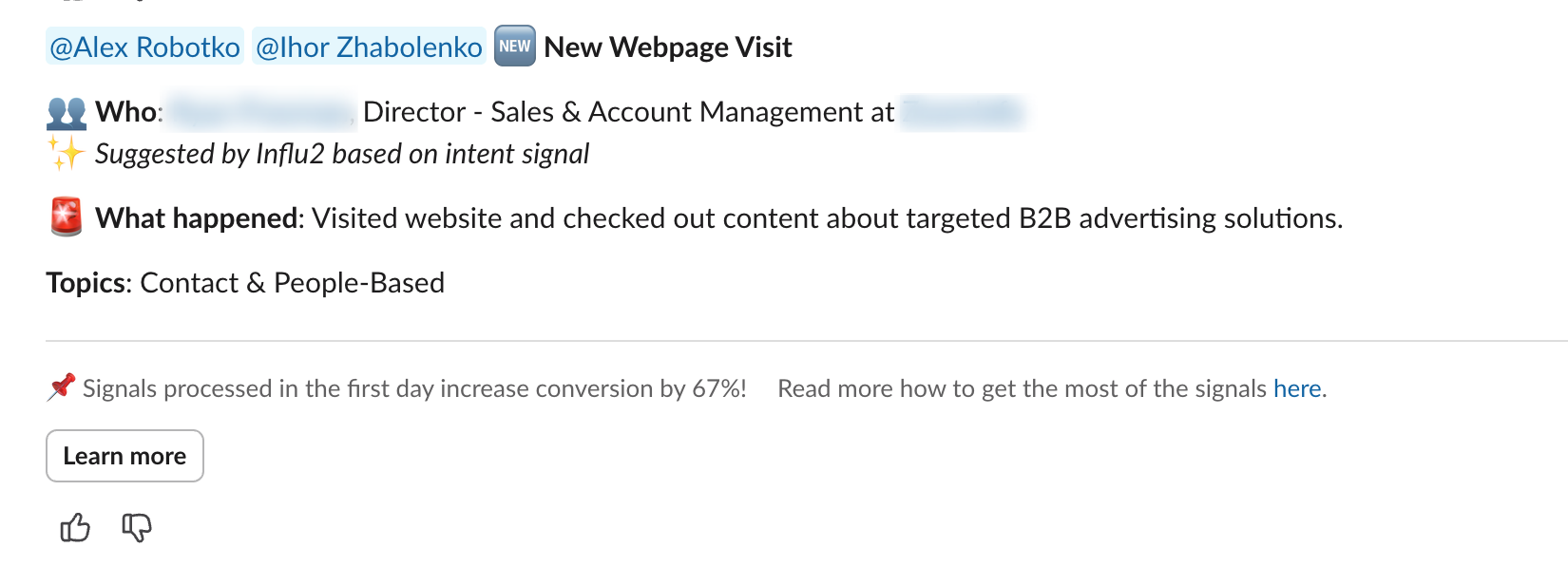
Suggested signal notifications include a clear marker so the recipient knows immediately that this isn't from their existing audience.
In Slack and MS Teams, a new line appears below Who that reads ✨ Suggested by Influ2 based on intent signal. The same line appears under Who in email notifications.
Keep in mind: when Slack or Email notifications are first enabled, only signals generated after notifications are turned on will be sent. Historical signals stay visible in the feed, but they aren't pushed to Slack or email retroactively.
How to use Suggested signals
A few practical plays your team can run:
Add high-fit Suggested contacts to your audience. When you see repeat Suggested signals from a contact at an account that matches your ICP, add them to your audience (in Influ2 and/or your CRM) so future signals route to your sellers automatically.
Use Suggested signals as buying group context. A Suggested signal from a peer of one of your existing targets is a strong indicator the buying group is researching. Treat it as a related signal when prepping outreach to the contact you already own.
Use filters for different outreach strategies. Filter to Your Audience for daily pipeline work; switch to Influ2 Suggested when you're carving out time to prospect into new accounts or buying groups.