How to Activate Your Account
Last updated: April 18, 2026
When you're invited to Influ2, you'll get an email with a link to get started. Here's how to complete your account setup.
Steps
Click the link in your invitation email
Set your password
Confirm your password
Agree to our Terms of Service and Usage
Click Create
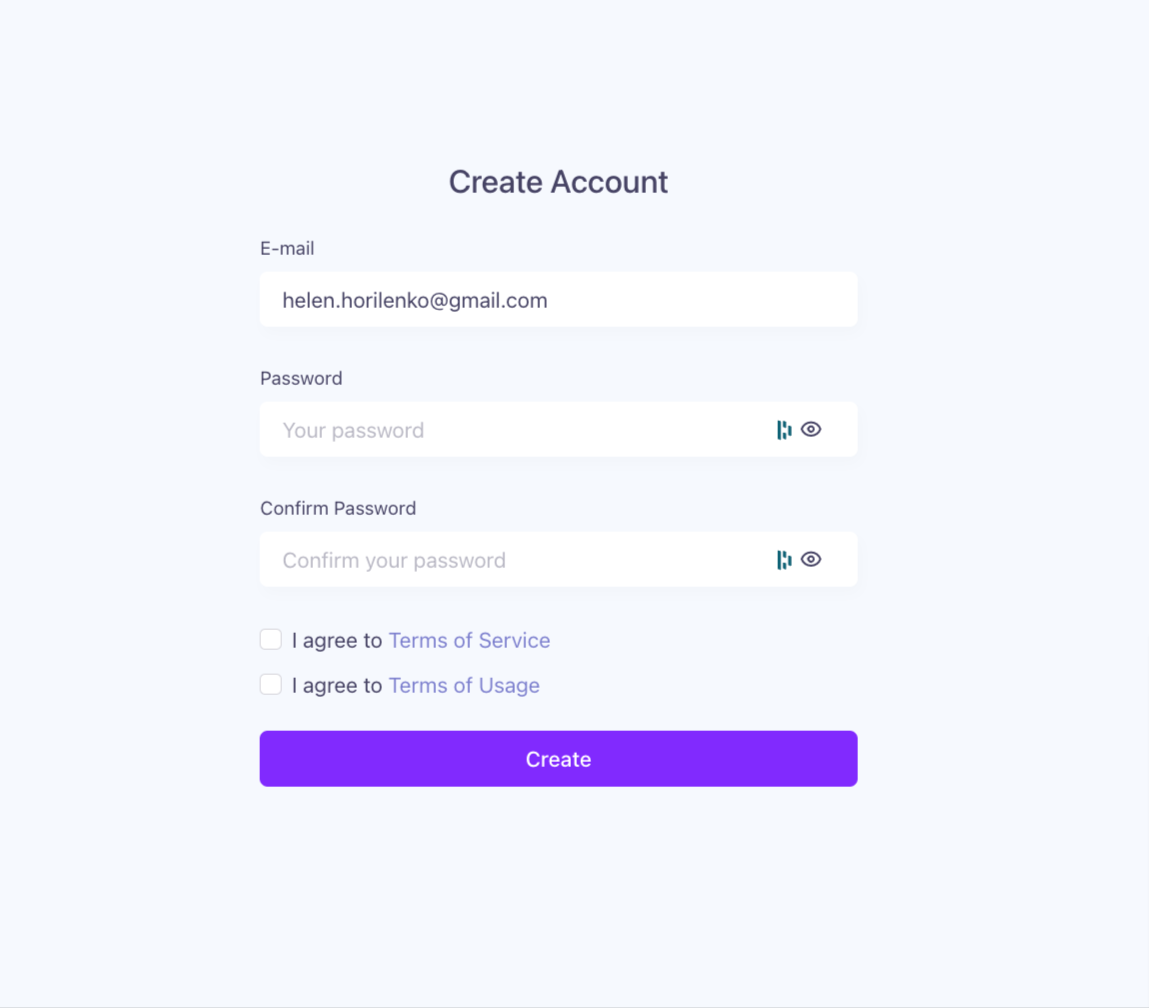
Once your account is created, you can log in anytime at v2.influ2.com/login using your email and password.
Your invitation link is valid for 7 days.
If the link expires before you confirm your account, you'll see the error message below. Just reach out to your CSM or Implementation Manager and they'll send you a new link.
