
Contact-level intent from Audienscope
Audienscope reveals who’s showing buying intent and what they care about through contact-level signals across search, social, third-party content, and website visits. By tying intent to named people rather than aggregating activity at the account level, Audienscope shows you who’s researching topics you care about and what sparked their interest, so sales has the information they need to drive relevant outreach.
How Audienscope Works
Audienscope captures intent from the buyers you know—and the ones you don't.
Find new people and accounts showing intent
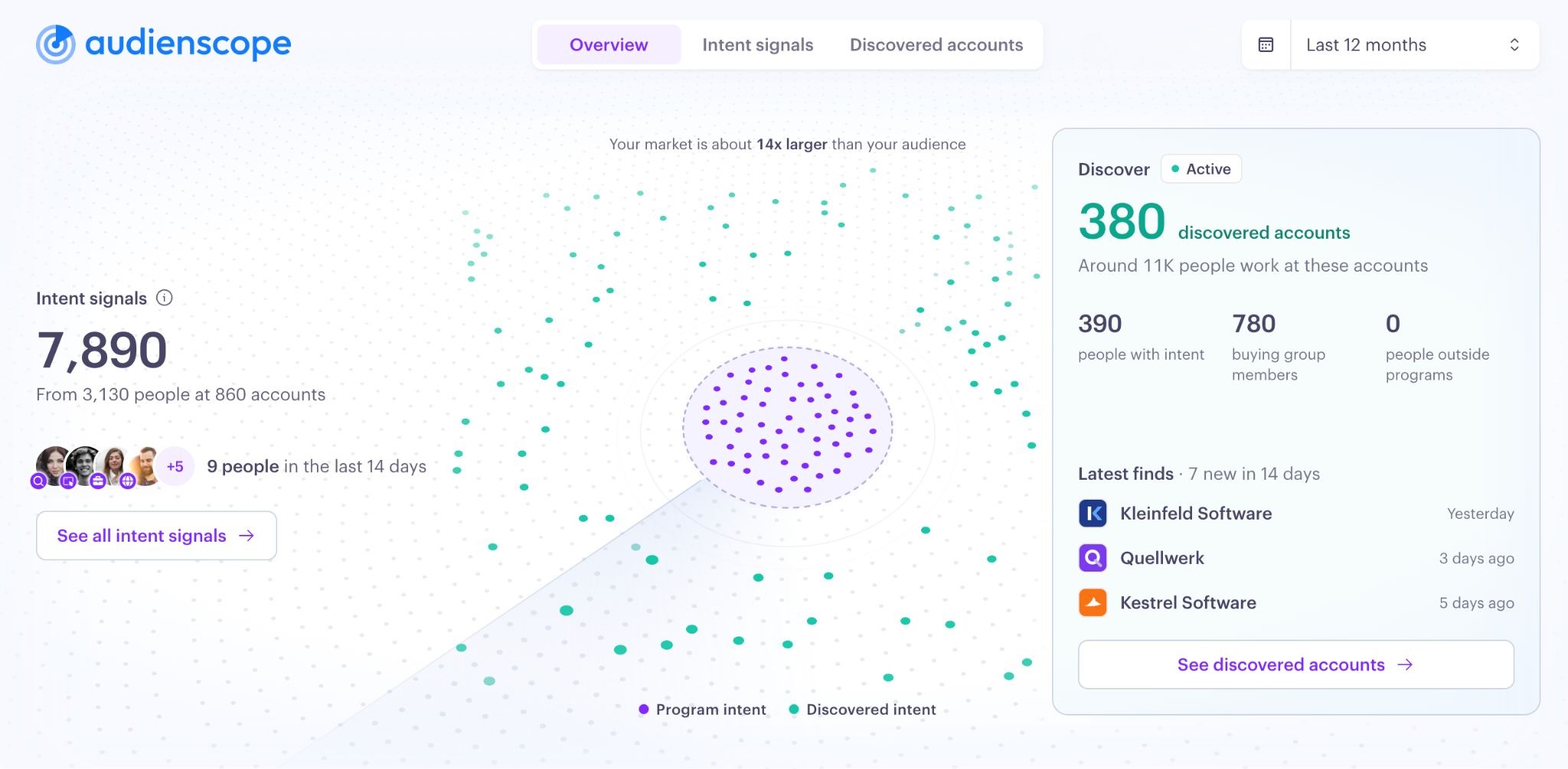
Audienscope Discover identifies new people and accounts beyond your existing Influ2 programs by detecting named people showing intent across your defined market. Simply describe the market you want to pursue in plain language, and Audienscope Discover surfaces people showing intent from that market, identifies the accounts they work at, and fills out the buying group with the contacts you need to reach.
By uncovering early intent signals across your broader market, Audienscope Discover helps your team spot new opportunities, prioritize promising accounts, and expand your reach beyond the accounts already on your radar.
Understand intent within your target accounts
Audienscope Monitor tracks contact-level intent signals and job changes for the targets in your active programs, helping you understand who's showing interest and in what.
Audienscope Monitor helps you go beyond the initial signal to understand what's happening within the buying group at a deeper level. A buyer might engage with an ad, search for a relevant solution, or consume relevant content on third party websites.
Audienscope Discover & Monitor Work Together
Buying intent can emerge from people at companies you're already targeting or from people you haven't identified yet. Audienscope Discover uncovers new opportunities across your broader market, while Monitor tracks intent more deeply within the accounts and buying groups you're pursuing. Together, they connect market discovery with buyer insights and actionable engagement, helping your team capture opportunities without relying on a predefined account list or isolated early signals.
Together, they help you:
Build your target account list: Discover the accounts worth pursuing, based on the named people within them showing intent. Contact-level intent gives your GTM team a clear reason to go after every account.
Keep a 360° degree view of target buyers: Keep a constant pulse on your target audience by automatically tracking contact-level signals across channels, so you can act on the moments that matter.
Deliver the right next touchpoint for every buyer: Use contact-level intent to align every message with each prospect’s interests, automatically adapting across ads, sales follow-up, and marketing campaigns as they engage.
Prioritize high-intent prospects: Help your sales team focus on the contacts who are most engaged. Use real-time intent signals to prioritize outreach and boost conversion potential.
Create context for outreach: Give your team insights that make conversations relevant. Sales can shape their outreach based on the ads each contact clicked and speak directly to what sparked interest.
Types of contact-level intent signals
Content Intent shows who is consuming relevant content across the web. You'll see the main website visited, the topic they engaged with, and how many times they visited that day.

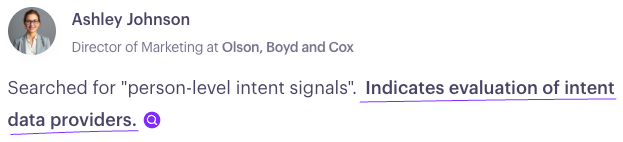
Search Intent detects when your target contacts search for topics you care about. It's tracked across Google and all major browsers (Chrome, Safari, etc.) and captures intent even if they use an AI summary and never click into the source.
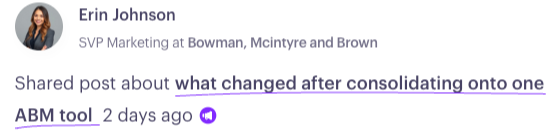
Social Intent filters through LinkedIn noise to surface relevant posts from your targets—so you see what they're actually paying attention to, not everything they scroll past.
Website Visitors lets you see exactly who is visiting your website — their name, title, company, and the pages they browsed — so your sales team can reach out while intent is at its peak.

Please note: Audienscope Discover uses only Search Intent, Content Intent, and Website Visit signals to detect intent across your broader market.
Job change signals
Audienscope automatically detects and syncs job changes to your CRM, keeping your targeting accurate and your outreach relevant.
Role change flags when a target starts a new position within the same company (like a promotion).

Company change catches two scenarios: when a known account recently hired someone you don't have in targeting yet (matched to similar titles you already target), and when a known target moves from one company to another.

Automatic CRM Updates keep your cohorts and targeting precise by updating existing contact records with job changes, syncing new contacts detected in recent signals, and ensuring your data stays current. Updates sync biweekly and you can configure them in the Integrations tab.
Setting up Audienscope
Once you're ready to start using contact-level intent, follow these steps:
Add and manage intent topics and keywords to collect the signals that matter most for your business
Setup Audienscope Discover to prioritize accounts based on intent from named people across your market
Launch signal monitoring for specific cohorts to target your listening
Configure follower settings and notifications so your team gets alerted the moment signals arrive
Once Audienscope is live, visit Understanding the Audienscope Tab to learn how to analyze and activate your intent data.
FAQs
Will job changes be applied retroactively when Audienscope turns on?
During implementation, Influ2 reviews all detected signals from an agreed-upon time window, which may include past job changes. After go-live, only new changes are detected.
How quickly do Audienscope signals show up in Influ2?
Signals arrive on this schedule:
Search Intent: Daily
Content Intent: Daily
Website Visitors: Daily
Social Posts: Weekly
Job Changes: Every 2 weeks
What is the match rate for Audienscope?
Match rate refers to the % of ads successfully shown to your named targets, and thus is not applicable for Audienscope. If an intent signal is detected for the contacts enrolled in Audienscope listening, it will be returned to Influ2.