Understanding Slots
Last updated: July 14, 2026
Influ2 is a contact-level advertising platform that helps you reach specific people within your target accounts and see exactly who interacts with your ads. To make the most of your investment, it's important to understand how slots work and what they cost.
What is a slot?
A slot is simply one unique person who has viewed your ad at least once. A slot is counted the moment a target receives their first impression in a subscription month — and it stays counted for the rest of that month, even if you later remove them from the program. Slots count unique individuals reached, not repeat views: if the same person sees your ad 10 times, that's still one slot.
How slot counting works
Removing a reached target doesn't return the slot. If they received an impression this month, that slot is used for the rest of the month.
Re-adding a reached target doesn't use a second slot. They were already counted — adding them back is free.
Removing a target before their first impression costs nothing. If they were never reached this month, no slot was used.
Already-reached targets keep receiving impressions even when the limit is hit — only new target activations are paused until the next subscription month.
Counters reset at the start of each subscription month, just like before.
Example
If your plan includes 2,000 slots per month, you can reach up to 2,000 unique people that month. If one person sees your ad 10 times, that's still just 1 slot. But your slot limit resets monthly—those 2,000 people are new each month, and if they're still in your audience, they count toward the current month's limit.

Tracking and managing Slot usage
Slot usage is tracked in the Programs tab where you view your full list of programs. This is also where you can apply slot limits.
Your program tracks slots in three ways:
Total Slots used — The all-time total number of slots consumed by this program since it was launched. This number only grows. It doesn't drop when a target is removed or reset at the end of a month.
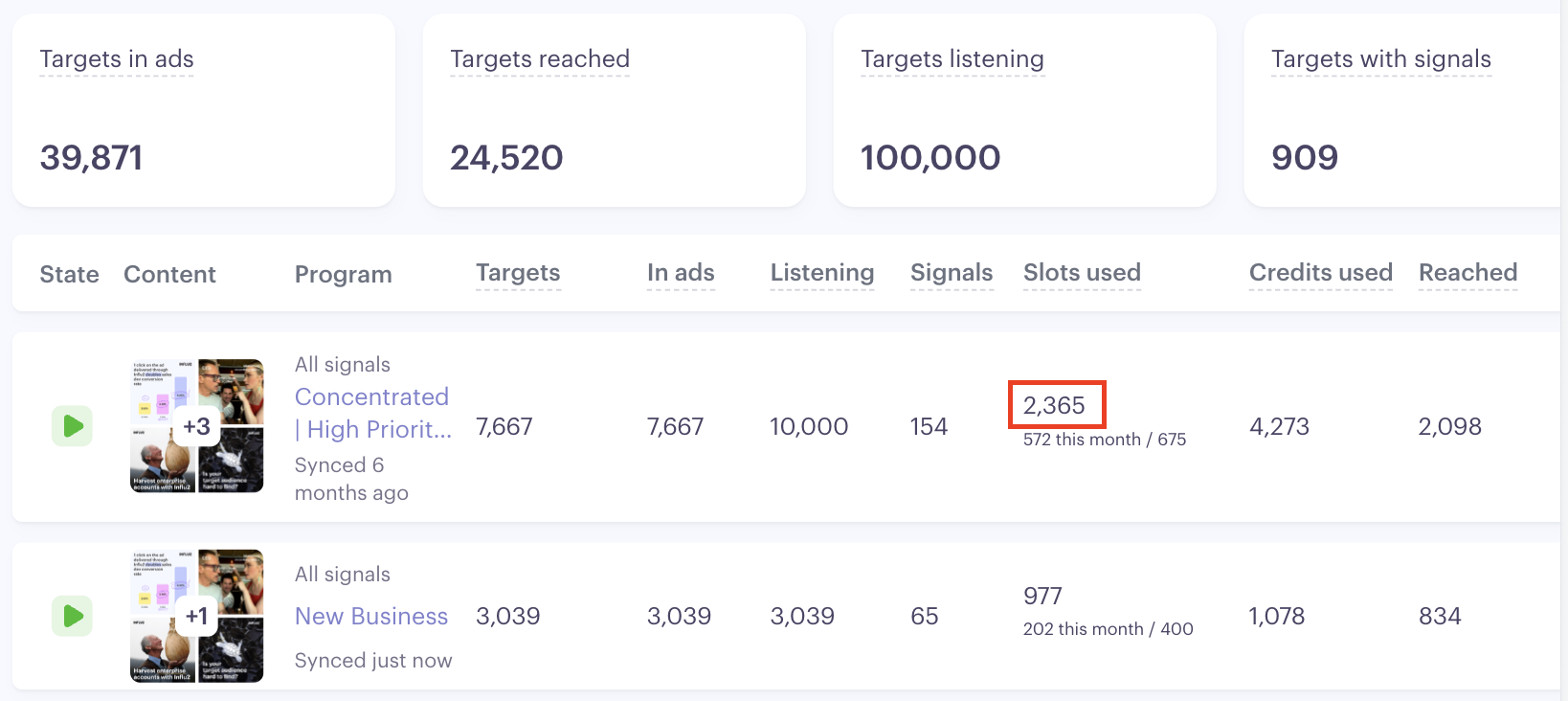
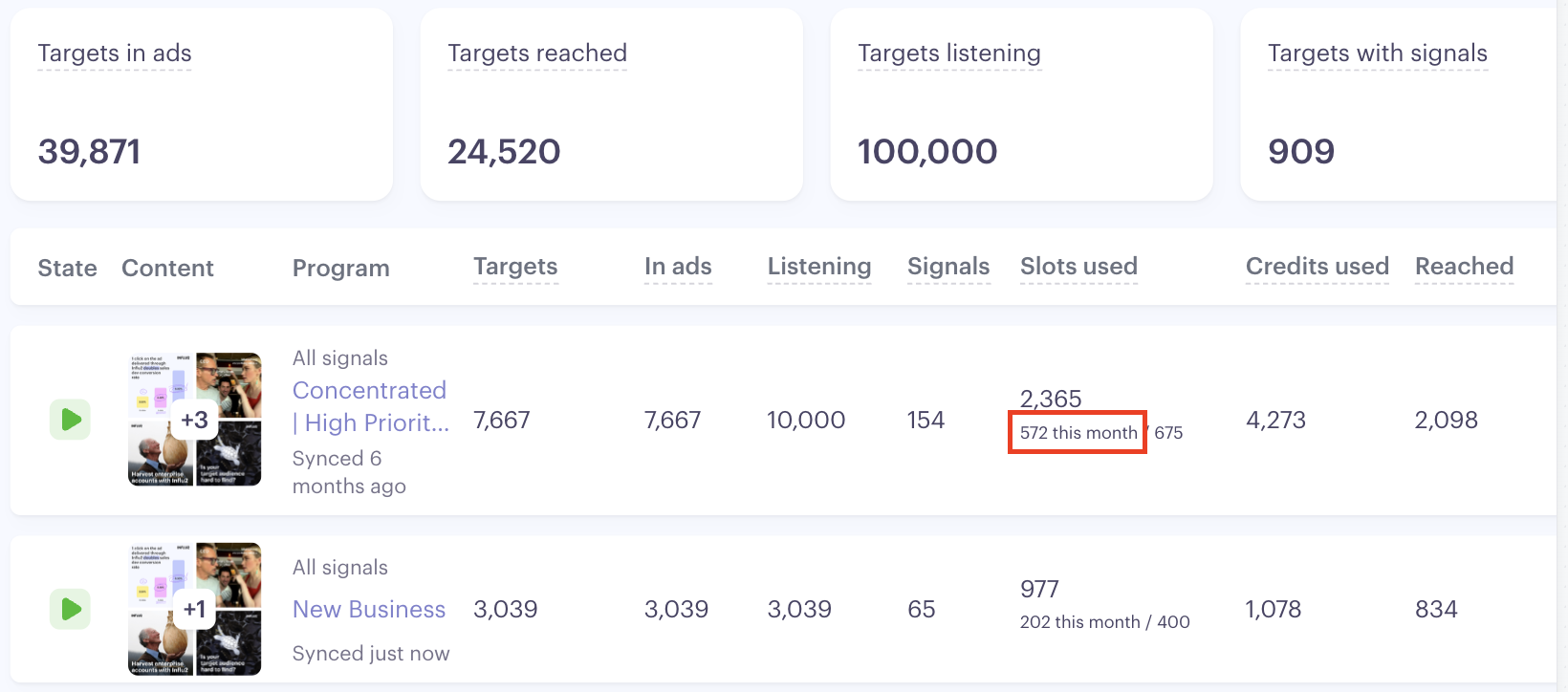
Slots used this month — The number of slots used in the current subscription month. This is the number that resets to 0 at the start of each new subscription month.
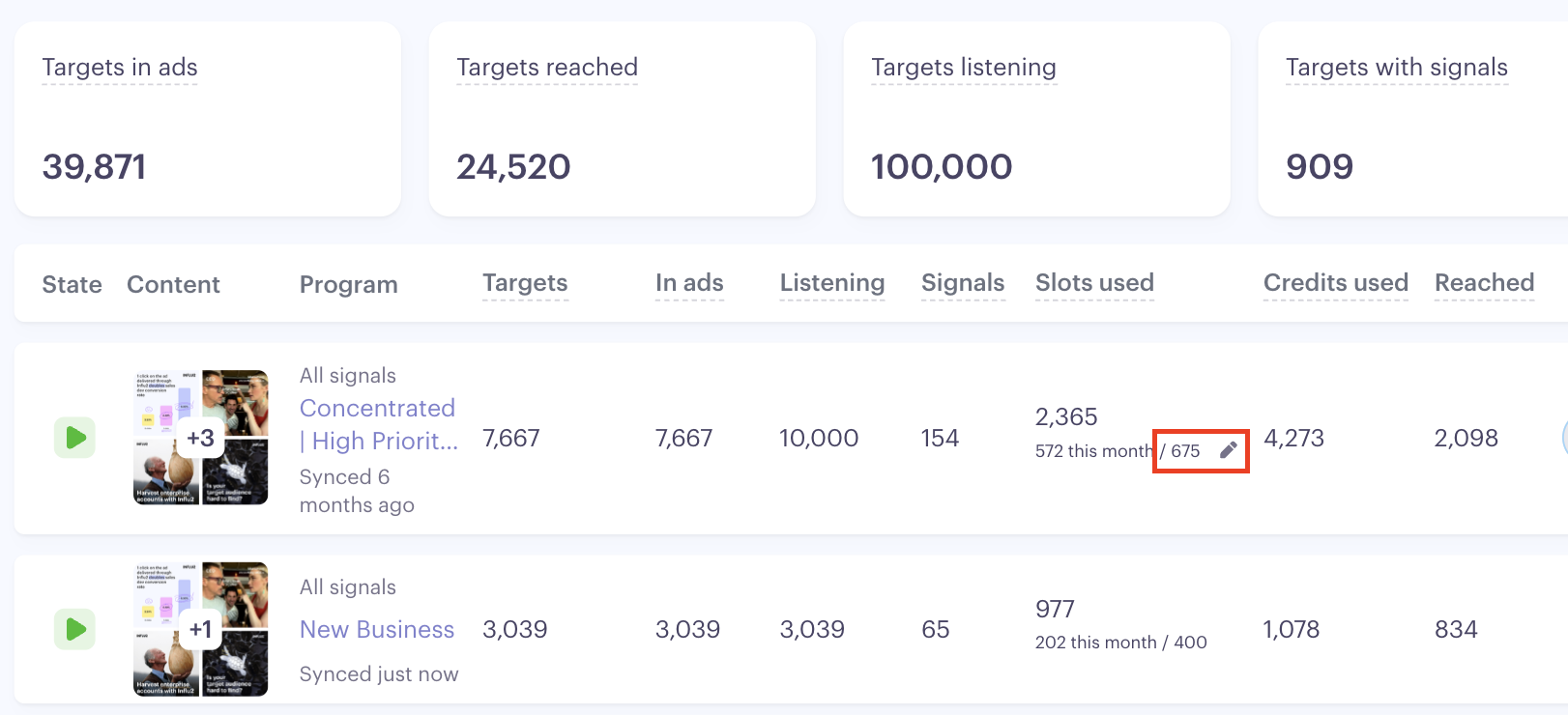
Slot limit — The limit to the number of slots that can be used during the subscription month. This can be configured from the program screen by clicking the pencil icon.
Hitting your slot limit
When you hit your slot limit, targets who've already received an impression this month continue to see your ads normally — nothing stops for them. Only new target activations are paused until your next subscription month begins. If you need to expand your reach further this month, you can purchase additional slots.
Plan types
Monthly limits — You get a set number of slots each month. Unused slots don't roll over, so watch your usage to make sure you're reaching your target audience efficiently.
Annual limits — More flexibility. Slots you don't use in one month carry over to future months, so you can spread your reach across the year without losing budget.
Key takeaways
A slot = one unique person reached, counted fresh each month they're in your audience
Slots are based on unique views, not repeated views by the same person
Once a target has been reached this month, removing them from the program doesn't free up their slot — but re-adding them later won't use additional slots either.
When the limit is hit, already-reached targets keep receiving impressions — only new activations pause.
Monthly plans reset each billing cycle; annual plans give you flexibility to use slots throughout the year