Let's sync your Influ2 engagements to Pardot targets! Follow these instructions to make the most of your integration.
If you haven't connected Pardot to Influ2 as of yet, follow this user guide before continuing.
1. Login to your Pardot account.
2. Select a contact to view their personal records.
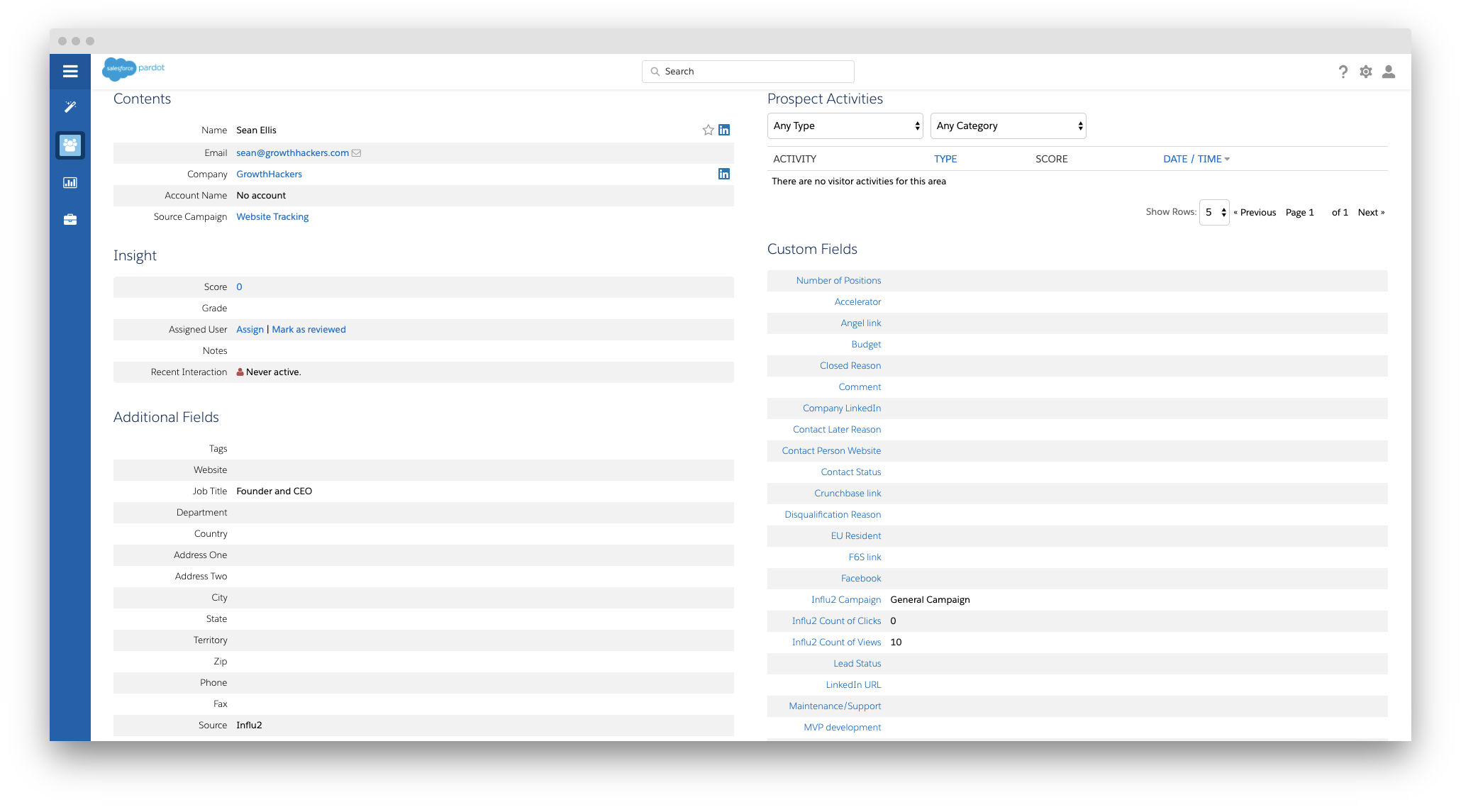
3. Once the first event among your Influ2 selected engagements occurs, Influ2 will update corresponding fields in Pardot for the target list member:
- Influ2_Count_of_Clicks — contains the information about the click + visit
- Influ2_Count_of_Views — information about the impressions
- Influ2_Campaign — the name of the campaign
- Influ2_Score — the behavioral score of a person in Influ2
Note; if a contact is included in different campaigns, the data will be overwritten by updated aggregated information. All information within one campaign will be summarized.
What does this mean?
No matter how many campaigns a single target is in, the information will combine and give you the most updated information possible. For example, if John is in 2 campaigns and receives 10 impressions and three clicks in one and five impressions and one click in another, he will now have 15 impressions and four clicks on his report.
Comments
0 comments
Please sign in to leave a comment.