Program Slot Limits
Last updated: September 3, 2026
A program slot limit lets you control how many unique contacts can be reached within each program per subscription month. This helps you prioritize your highest-value audiences and make sure your ad spend goes toward the segments that matter most.
Why use slot limits?
Slot limits ensure your top-priority audiences get the attention they deserve.
Example: You have three programs—Healthcare, Finance, and Manufacturing. Healthcare is your top priority, so you set different limits:
- Healthcare: 500 slots
- Finance: 250 slots
- Manufacturing: 250 slots
You can adjust limits anytime to stay flexible and respond to changing business priorities.
Benefits
Focused targeting: Make sure your top programs get the resources they need
Flexible adjustments: Change limits as your strategy evolves to match your reach goals
What you'll see in the Programs list
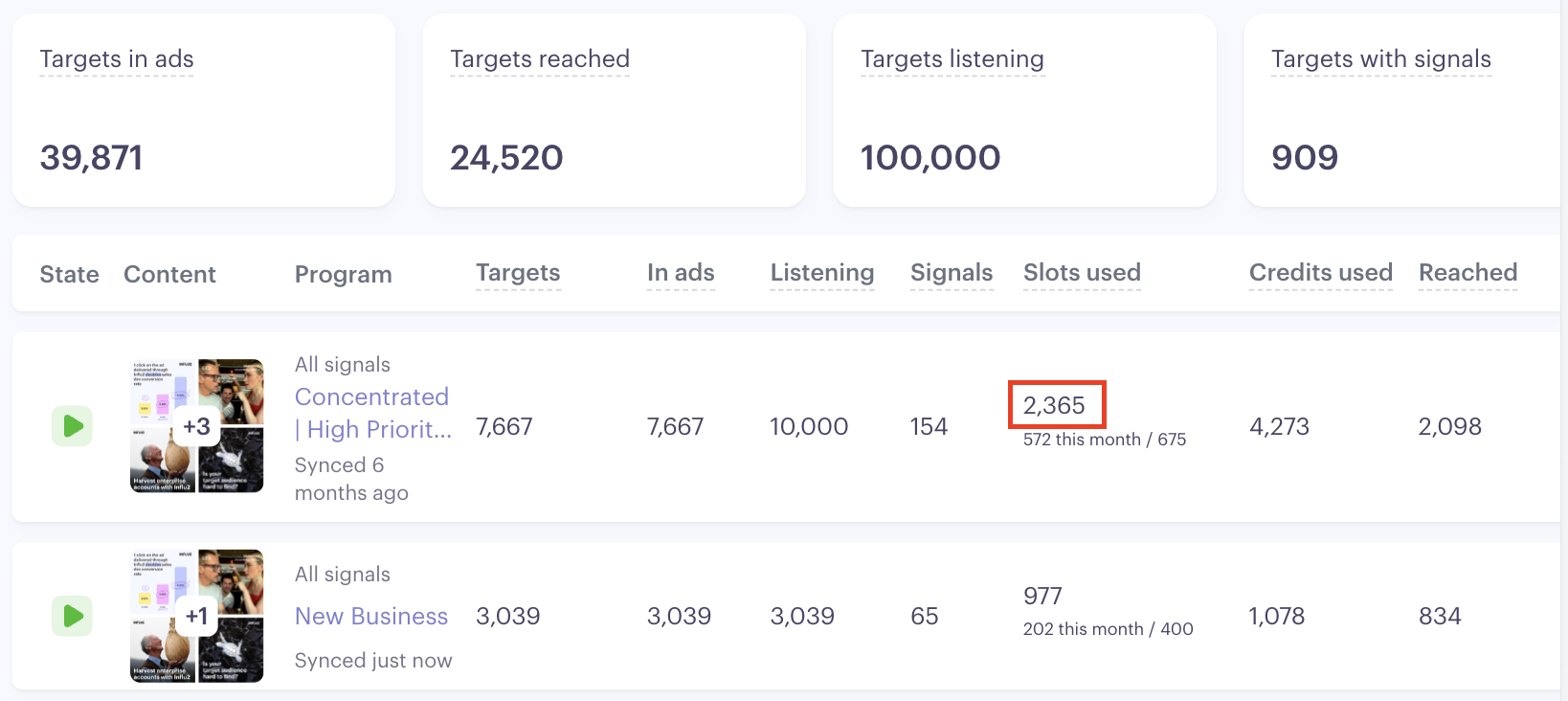
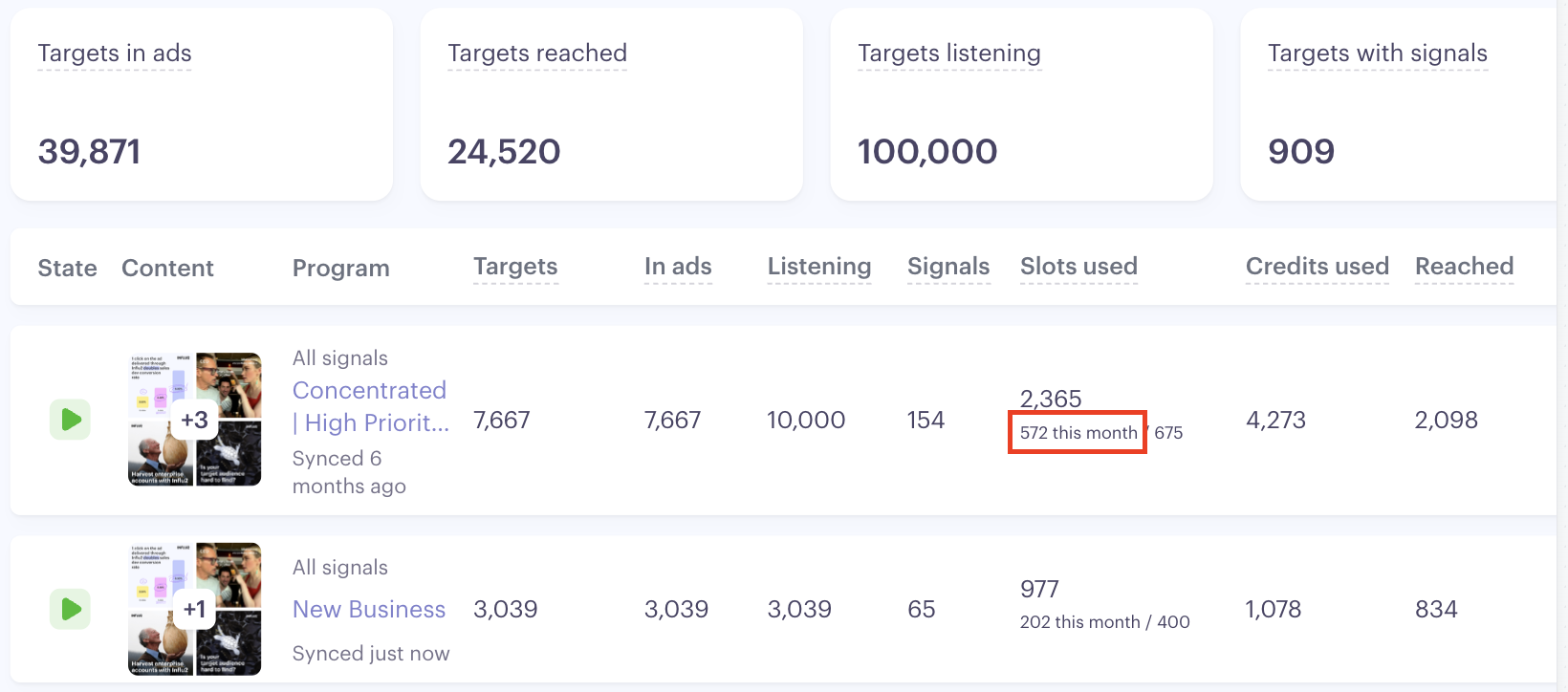
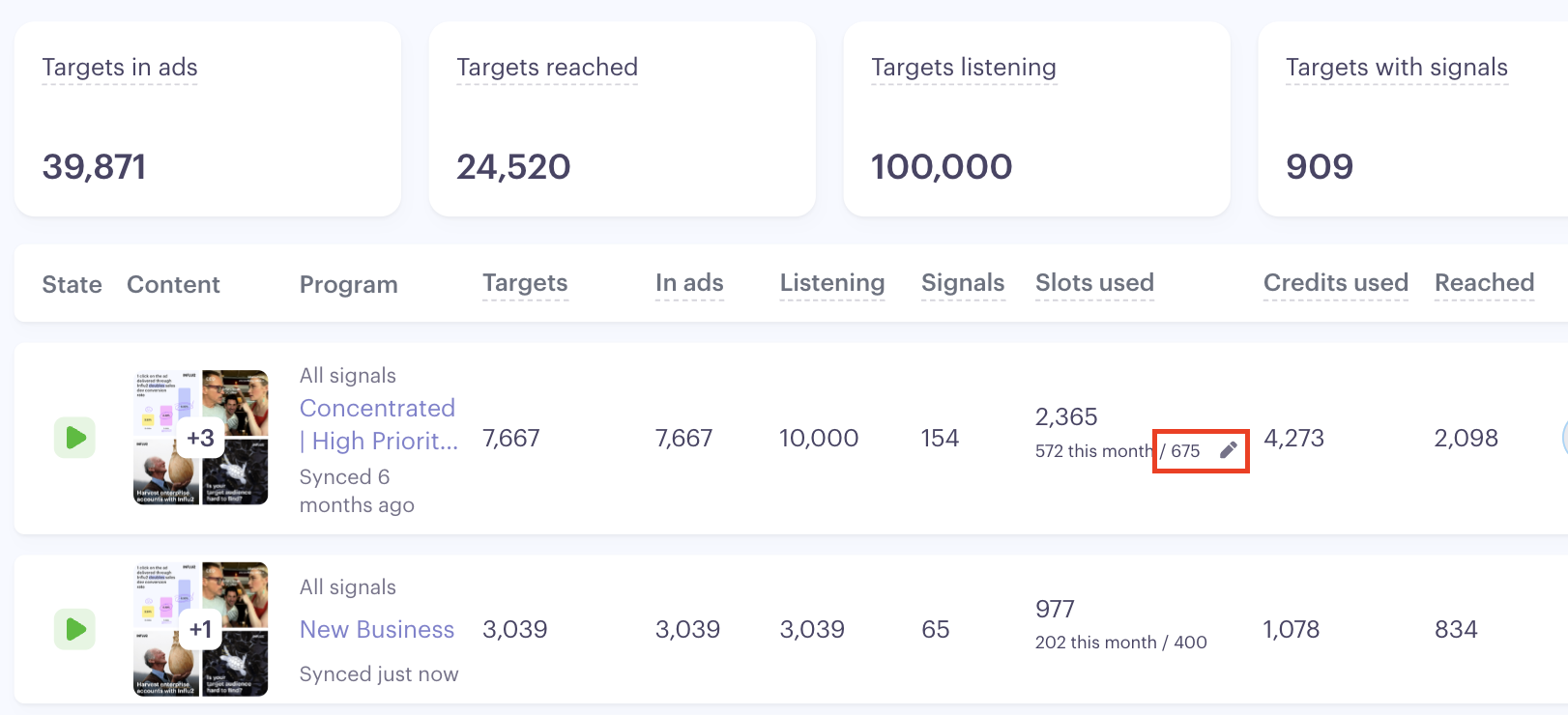
The Programs List includes a Slots used column for each program. It shows:
Total Slots used — The all-time total number of slots consumed by this program since it was launched. This number only grows. It doesn't drop when a target is removed or reset at the end of a month.
Slots used this month — The number of slots used in the current subscription month. This is the number that resets to 0 at the start of each new subscription month.
Slot limit — The limit to the number of slots that can be used during the subscription month. This can be configured from the program screen by clicking the pencil icon.
How to set a slot limit
Slot limits are configured from the Programs List — not from within an individual program screen.
Go to the Programs tab.
Find the program you want to limit.
Click the Slots limit button in that program's row.
Enter your desired number. (Minimum value: 1.)
Click Apply.


How to adjust a slot limit
When you need to update a limit:
Go to the Programs tab.
Find the program you want to adjust.
Click the Slots limit button in that program's row.
Enter the new number and click Apply
Keep in mind: if you lower the limit below the current slots already used — for example, changing it from 100 to 50 when 80 slots are already counted — the column will show the overage (e.g., 80 / 50). No new targets will be activated until the counter resets at the start of the next subscription month.
How to remove a slot limit
To remove a limit entirely:
Go to the Programs tab.
Click the Slots limit button in that program's row.
Click Clear.

The update applies automatically. Without a limit set, targets are activated without restriction.
How slots are counted
A slot is counted the first time a target receives an impression in a subscription month — and it's never returned, even if that target is later removed from the program. This ensures slot consumption is easy to measure and is predictable, even amidst mid-month audience updates.
If a target receives an impression and you then remove them from the program, the slot stays counted against your limit.
If a target is removed from the program before receiving any impression, no slot was counted — so if you re-add them, they'll be eligible for reach in the normal order.
If a target is re-added in the same subscription month after already receiving an impression, they don't consume an additional slot.
How Influ2 chooses which targets see ads
Influ2 uses its proprietary algorithm to calculate the reach probability for each target, then decides who should be actively targeted. This ensures you get the best results in the shortest time while respecting your slots limit.
If a target is in multiple programs
Targets are counted separately toward each program's slots limit. This means you can include the same person in multiple programs while keeping your budgets and results tracking separate.
Example: Marty Smith receives an impression in the Spring Sale program — that's 1 slot counted against Spring Sale's limit. You also add him to the Spring Campaign program. He's counted toward Spring Campaign's limit independently, once he receives an impression there.
When slots reset
Influ2 resets your slots counter to 0 at the start of each new subscription month, based on your subscription start date. This gives you fresh capacity each month to adjust based on your programs and unique needs.
If your subscription start date falls on a day that doesn't exist in a given month (for example, the 31st in February), Influ2 uses the last day of that month instead — then returns to the original date when it becomes available again.
What happens when you reach your slots limit
Once your program hits its slots limit, newly added targets won't see ads until one of these happens:
The limit resets at the start of the next subscription month, or
You remove the slot limit entirely.
Keep in mind: removing a target from the program after they've already received an impression does not free up a slot — that slot is permanently counted for the current subscription month.
This approach keeps you flexible — you can add the right targets and maximize your slots limit each month.