Managing Programs Status
Last updated: April 30, 2026
Influ2 gives you three ways to control a program's lifecycle: pause it temporarily, activate it when you're ready, or archive it when it's done. Knowing the difference matters — pausing is reversible; archiving is permanent.
Pausing a program
Pausing stops everything associated with a program: ad delivery, CRM actions, sales sequences and cadences, audience sync, and signal collection. Content statuses stay unchanged — your ads aren't deleted, just stopped.
To pause a program:
From the Programs List: click the three-dot menu (⋮) on the program row and select Pause.
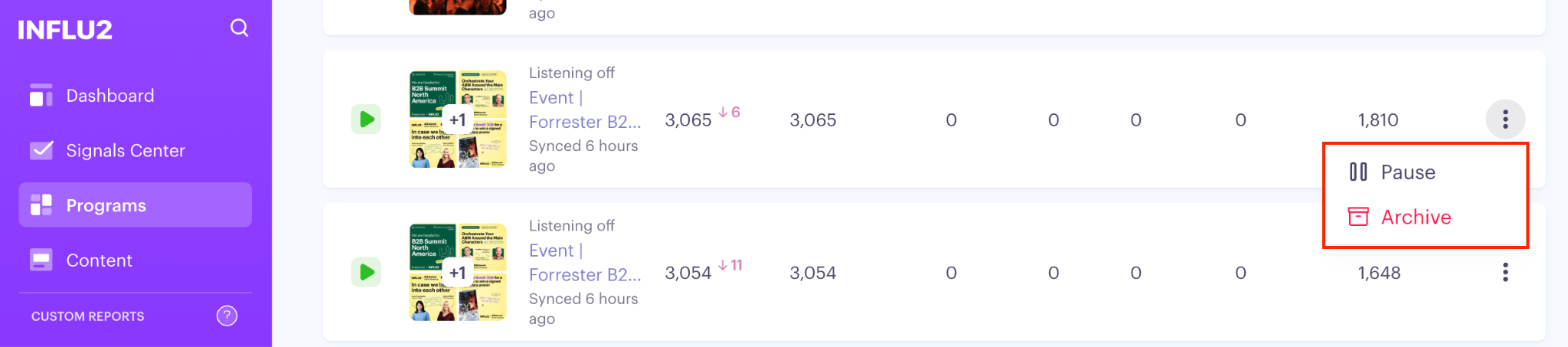
No confirmation required — the program pauses immediately and its status badge updates to Paused. It stays visible in the Programs List and is still included in the Programs List scorecards.
Activating a program
Activating restarts everything that Pause stopped. Before you can resume, your program must have at least one audience added in the Cohort tab.
Keep in mind: if you had individually paused specific activity cards (like a particular ad campaign or cadence) before pausing the whole program, those cards stay paused after you resume. Resuming the program doesn't override your per-card pause settings.
To resume a program:
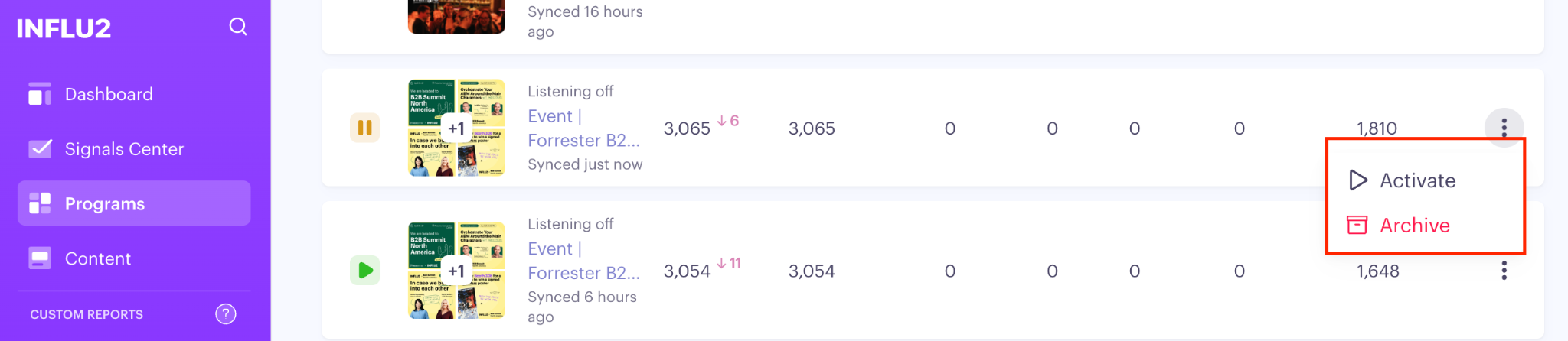
From the Programs List: click the three-dot menu (⋮) on the program row and select Activate.
Archiving a program
Archiving is irreversible. Use it for programs that are fully complete and shouldn't be counted in your active metrics.
Keep in mind:
You cannot undo an archive. The program stops running (same scope as Pause), disappears from the default Programs List view, and is excluded from Programs List scorecards.
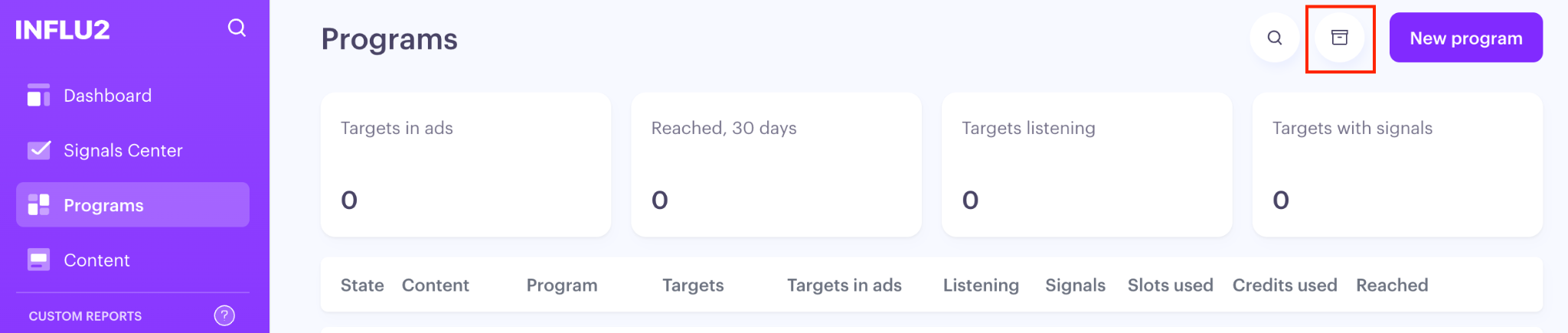
If you need to find it later, toggle Show archived in the Programs List.
Although archiving a program will remove metrics from active scorecards, the data from this program will remain in all reports for historical reference. Archiving a program will not delete data.
To archive a program:
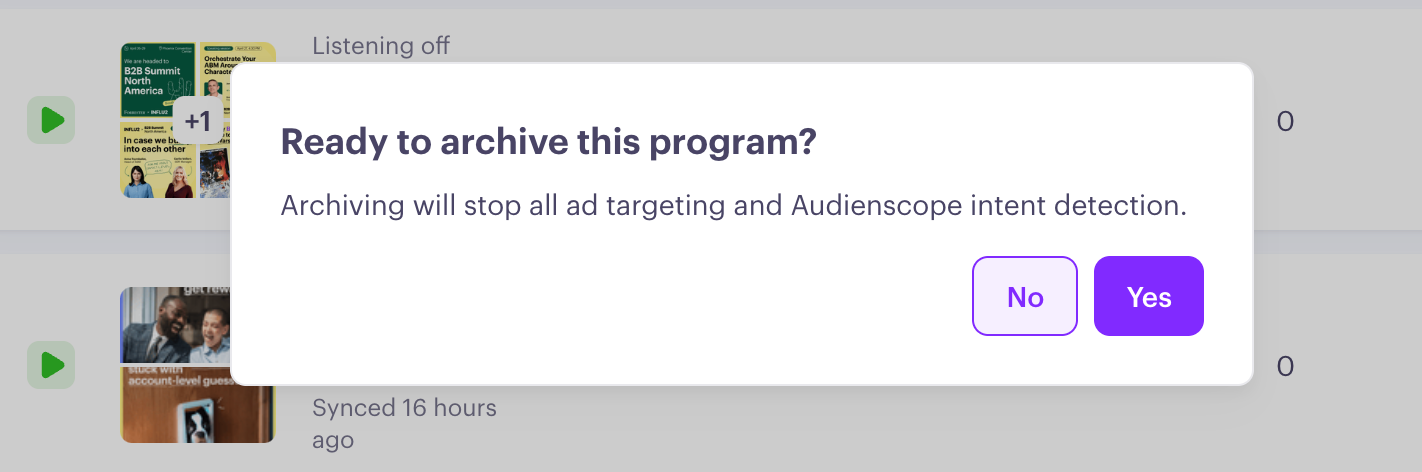
From the Programs List: click the three-dot menu (⋮) on the program row and select Archive.
A confirmation dialog appears: "Are you sure?" Confirm to archive.
Finding archived programs
Archived programs are hidden by default. To show them, toggle Show archived in the Programs List. Archived programs appear in the table but remain excluded from scorecards regardless.