Tracking HubSpot Marketing Activities in Influ2
Last updated: May 29, 2026
Your HubSpot instance holds a wealth of marketing activity data—form submissions, email clicks, and more—that reveals buyer intent. Bringing that activity into Influ2 gives you a single, unified view of buyer behavior alongside Influ2’s own signals, so no high-intent moment gets lost in a separate tool.
What it is
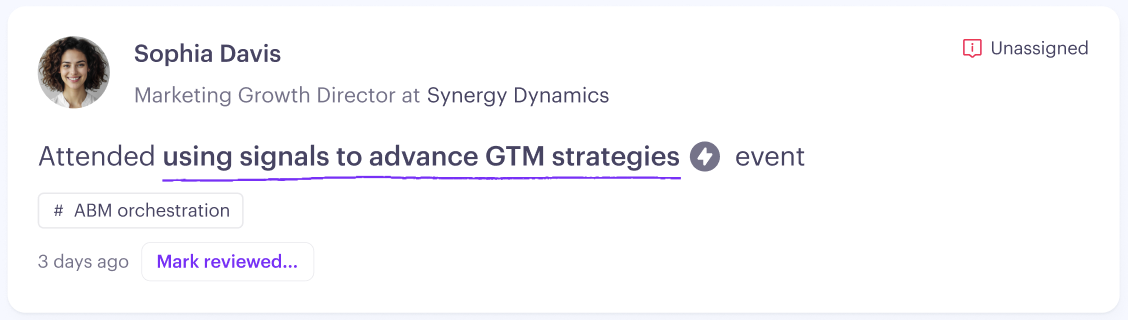
The HubSpot Marketing Activities sync continuously pulls marketing activity data from your connected HubSpot account into Influ2. It reads standard HubSpot activity objects, so there’s no custom property mapping or manual setup required. Activities are matched to your Influ2 targets and surface in two places:
Signals Center — a live feed of actionable signals that need Sales attention
Target Report — full historical context for each individual prospect
The Buying Group Report - for a unified view of all marketing activity and engagements
Signals vs. context — what’s the difference?
Not every activity carries the same weight. Influ2 classifies each activity as either a signal (a strong indicator of intent that Sales should act on) or context (supporting information that enriches the buyer’s profile but doesn’t demand immediate action). This distinction keeps Signals Center focused and actionable.
Activity types at a glance
Influ2 tracks five activity types from HubSpot. Here’s what each one captures and how it’s classified:
Activity | What it captures | Classification |
Form Submission | A prospect submitted a form on your website. Influ2 uses AI to interpret the page content and infer what the prospect is interested in.  | Signal |
Webpage View | A prospect visited one or more pages. Multiple visits on the same day are grouped, and AI summarizes the topic of interest.  | Signal |
Email Click | A prospect clicked a link in a marketing email sent from HubSpot. AI interprets the clicked webpage to determine intent.  | Signal |
Email Open | A prospect opened a marketing email. Shown on the Target Report only — not in the Signals Center feed.  | Context |
Enabling the feature
To start syncing HubSpot marketing activities into Influ2:
Go to Settings → Integrations → HubSpot.
Find the Marketing Activities Sync toggle and turn it on.
If the toggle is disabled, your HubSpot connection needs to be reconnected with updated permissions — click the Reconnect HubSpot link in the warning message.

Required HubSpot permissions: Influ2 needs read access to HubSpot’s Marketing Events, Timeline Events, and Contact Activity APIs. If you connected HubSpot before this feature was available, reconnecting will prompt HubSpot to grant those additional scopes.
Historical data and when activities appear
When you first turn on marketing activities sync, Influ2 loads up to 90 days of historical activity from HubSpot. That historical data appears as context on Target Reports, giving Sales immediate background the moment the feature goes live.
From that point forward, every new activity surfaces as a live signal in the Signals Center feed. The historical backfill stays context-only, so flipping the toggle on won’t flood the feed.
How to use marketing activities in Influ2
Prioritize warm outreach. Filter the Signals Center by Marketing Activities to quickly surface prospects who have recently submitted a form or clicked an email. Reach out within 24 hours while the signal is still fresh.
Build richer personalization. Before calling or emailing, open the prospect’s Target Report to see the full picture — which pages they browsed, what emails they opened, which events they attended, which ads they engaged with. That gives you specific, relevant hooks for personalized outreach rather than a generic message.
Combine with Buying Group intent. Marketing activity signals are automatically factored into Influ2’s Buying Group intent summary. When multiple members of a buying group are engaging with your content, the intent summary reflects that momentum.
Configure Follower notifications. In Followers settings, Marketing Activities from HubSpot appear as a dedicated External signal group. The group is disabled by default — turn it on for the reps or roles who should be notified when these activities occur. Keep in mind: at least one signal type must remain enabled at all times.


Using HubSpot Marketing Activities as Journey conditions
HubSpot Marketing Activities aren't just tracked for reporting — they can also drive your Program Journeys. When a contact performs a specific HubSpot activity, Influ2 can automatically advance them to the next stage or step, triggering whatever actions you've configured there.
This closes the loop between your HubSpot nurture programs and your Influ2 orchestration: a form submission, an email click, or an event registration can directly trigger the next move in the buyer's journey.
See: How to Design a Program Journey to learn how to use HubSpot marketing activities in the journey.
Important rules
No duplicate condition pairs. The same Activity Type + Filter Value combination can't be used in two different stages or steps within the same journey. Each condition must be unique within a program.
HubSpot sync must be active. The HubSpot Marketing Activity condition only appears if your HubSpot integration is connected and the Marketing Activities Sync is enabled. If scopes are missing (an OAuth reconnect is needed), the condition appears as disabled with a prompt to reconnect.