Enrolling Discovered Accounts in Influ2 Programs
Last updated: November 4, 2026
Audienscope Discover helps you prioritize new accounts by identifying named people showing early buying intent across your broader market. That first signal is just a starting point—it’s an early indication that something may be happening at the account. Moving a discovered account into an Influ2 program lets you monitor intent more closely and engage more of its buying group over time, helping your sales team turn early interest into real opportunities.
Think of Discover as the wide-angle view across your market and Monitor as the zoomed-in view of the contacts you're actively pursuing. Discover scans a broad market to surface accounts you may not be aware of, using early intent signals to put new opportunities on your radar. Because it covers such a wide audience, it may not capture every relevant signal from everyone in an account’s buying group. By adding those accounts to Monitor, you get more comprehensive intent coverage across the people who matter, helping you build a fuller picture of buying activity as it develops.
Together, they help you move from spotting potential opportunities to engaging the right people at the right time.
What to expect from deeper monitoring
Moving an account into an active Influ2 program gives you more precise intent detection by focusing monitoring directly on the buying group you're targeting, rather than scanning the broader market. This gives you the coverage to detect relevant intent signals across channels from the people who matter most at that account.
It also unlocks additional signal types, including Social Intent and Job Changes, giving you more ways to understand buyer interests and identify opportunities as they develop.
Beyond listening for intent, you can actively create it
By putting your ads in front of the buying group, you can spark new interest, encourage engagement, and create more opportunities for sales to connect with the right people and convert that interest into pipeline.
This shifts your approach from passively detecting buying signals to proactively engaging the people most likely to drive a deal forward.
Adding discovered accounts to an Influ2 program
When Audienscope Discover surfaces an account showing intent, add it to an Influ2 Program to start monitoring its buying group more closely and turn that initial signal into actionable engagement.
1. Review discovered accounts
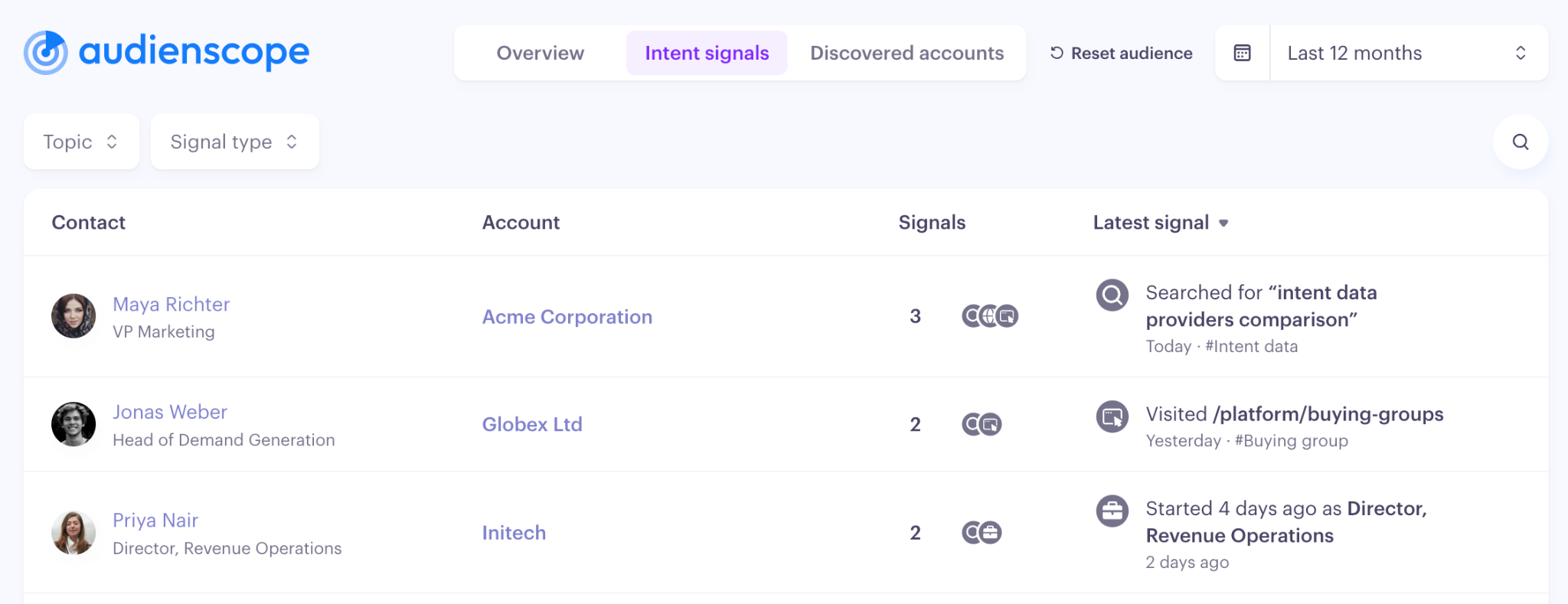
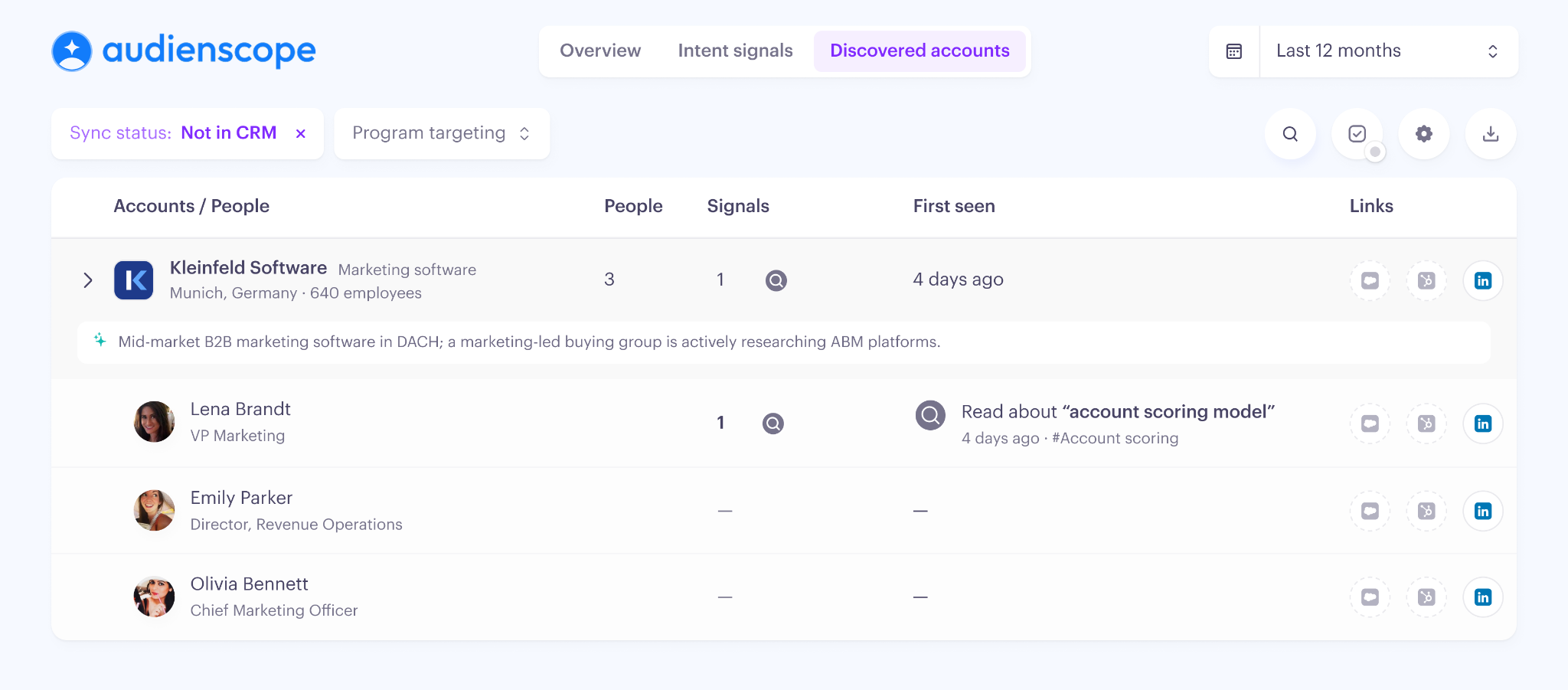
Navigate to Audienscope → Discovered Accounts and review the accounts prioritized by Audienscope Discover. You’ll see:
The account—including firmographics and how it fits your defined market criteria.
The named contact who demonstrated intent, what action they took, and what topic caught their eye.
The extended buying group you need to consider reaching within this account.
2. Add discovered accounts to a program
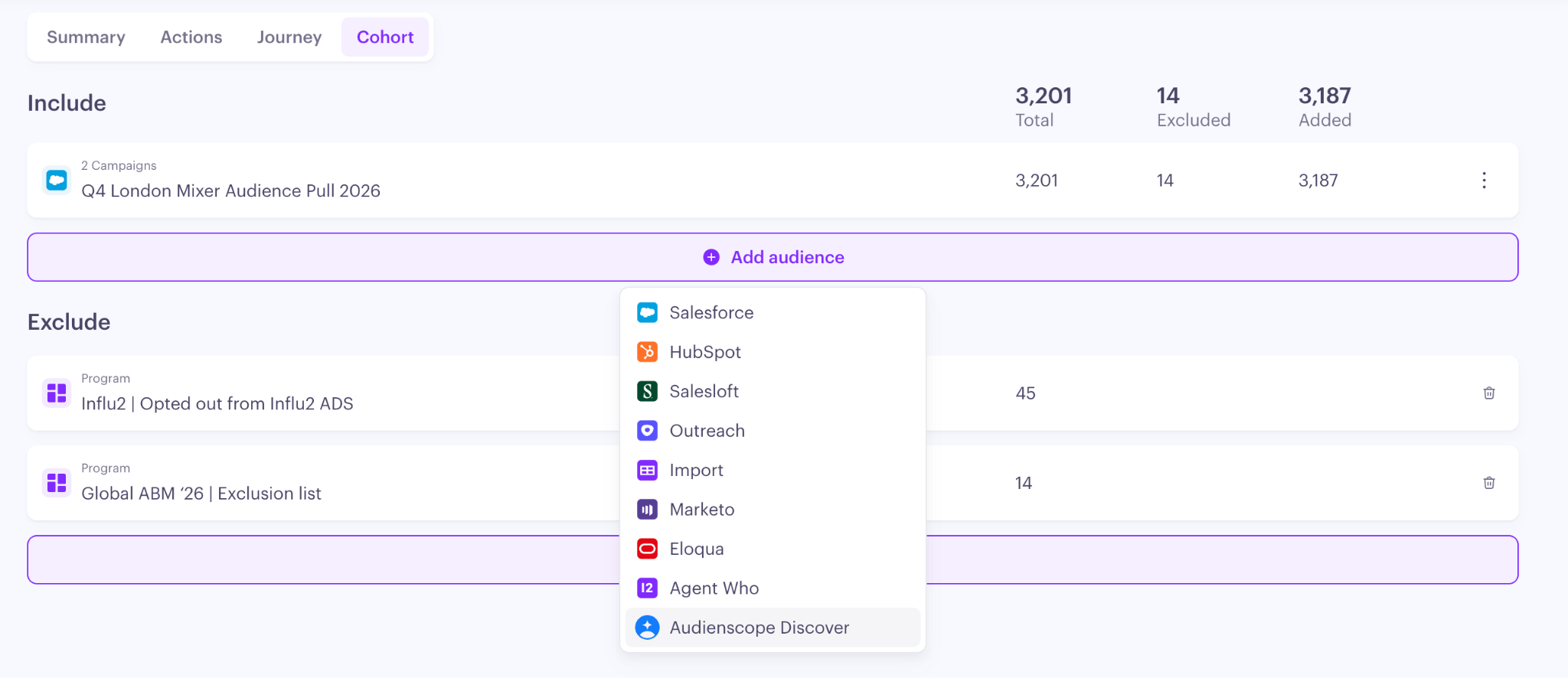
Navigate to the desired Program → Cohort, then select Add audience → Audienscope Discover.
Adding your Audienscope Discover account list includes all discovered accounts, including new accounts as they’re identified. To exclude specific accounts or contacts, configure exclusion criteria for the program.
3. Configure your program to include signal monitoring
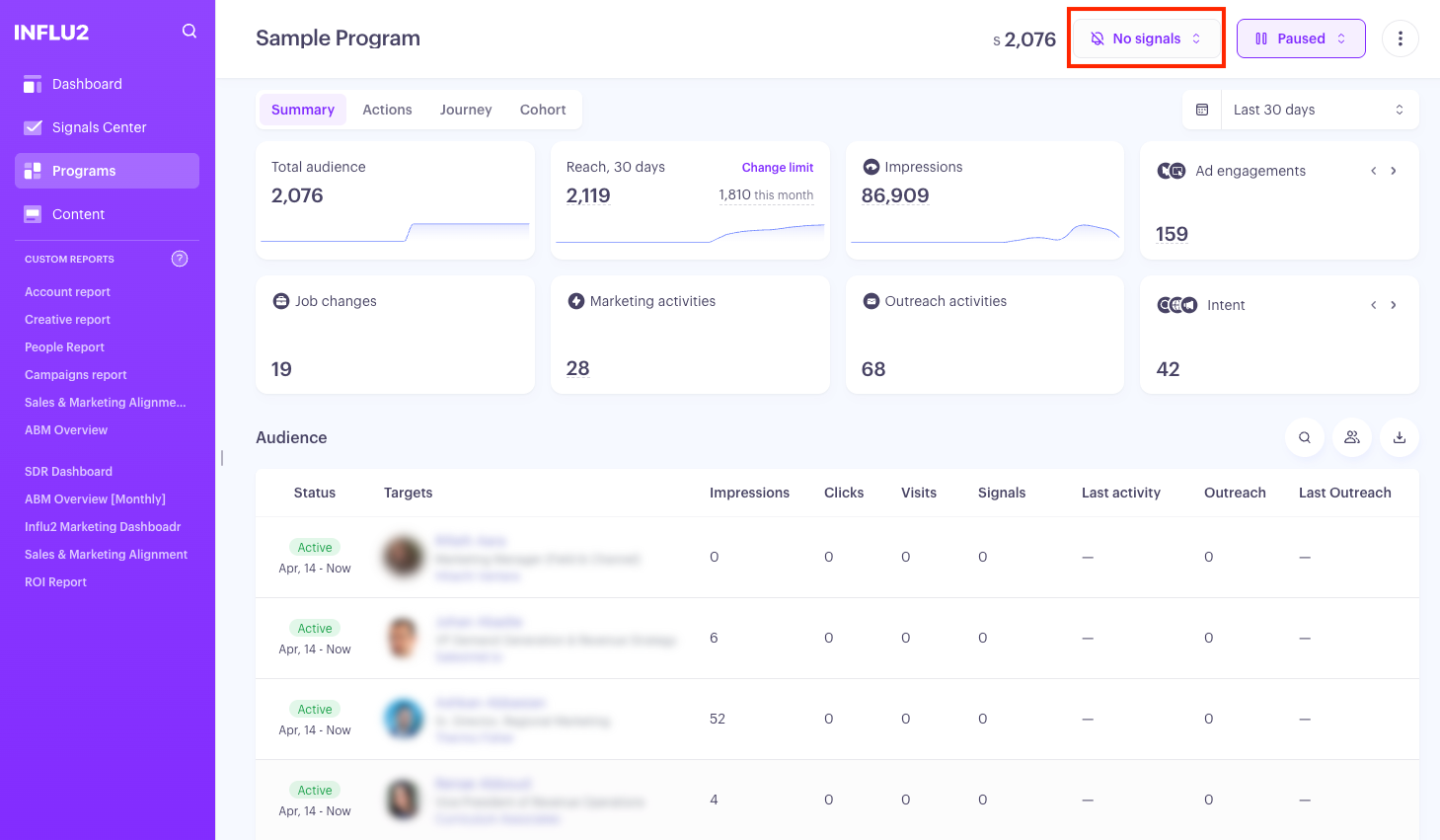
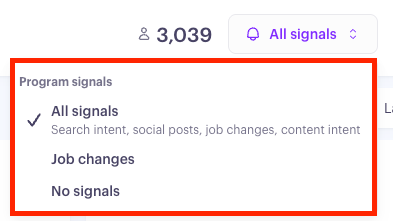
For step by step instructions on how to set this up, see How to Launch Audienscope Signal Collection Within a Program.
4. Monitor intent and engagement
Once the account is in your program, use the Monitoring tab to follow intent signals from the people you're targeting.
As additional signals and engagement appear, you'll build a more complete understanding of the account's interests and potential buying activity. This context can help your sales team determine when and how to engage, while your ads continue reaching the buying group.