Quickly find out whether or not your Facebook page is owned by a Business Manager (BM).
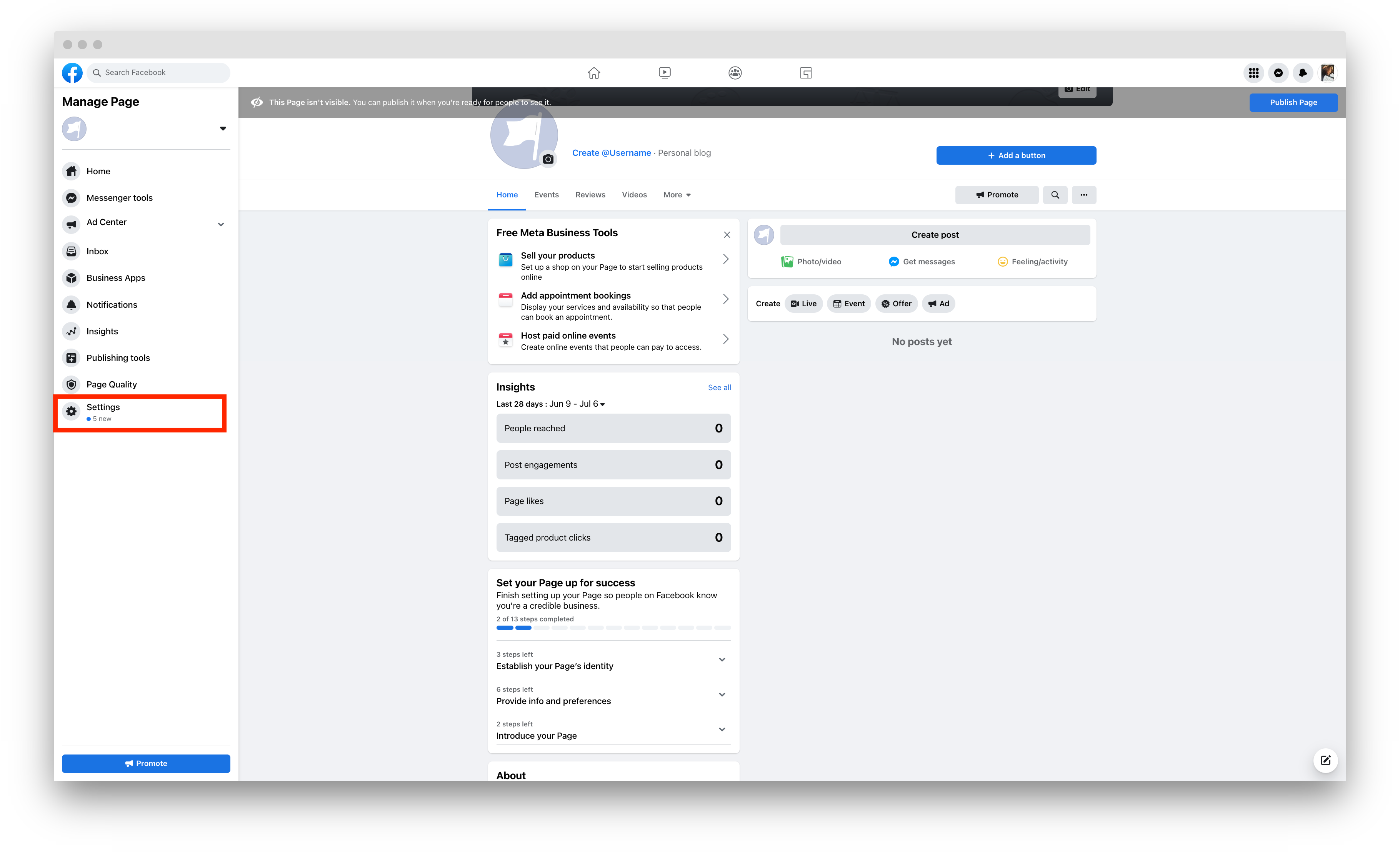
1. Go to your Facebook Page, and on the left-side menu, click 'Settings'.
2. Go to 'Page Roles'.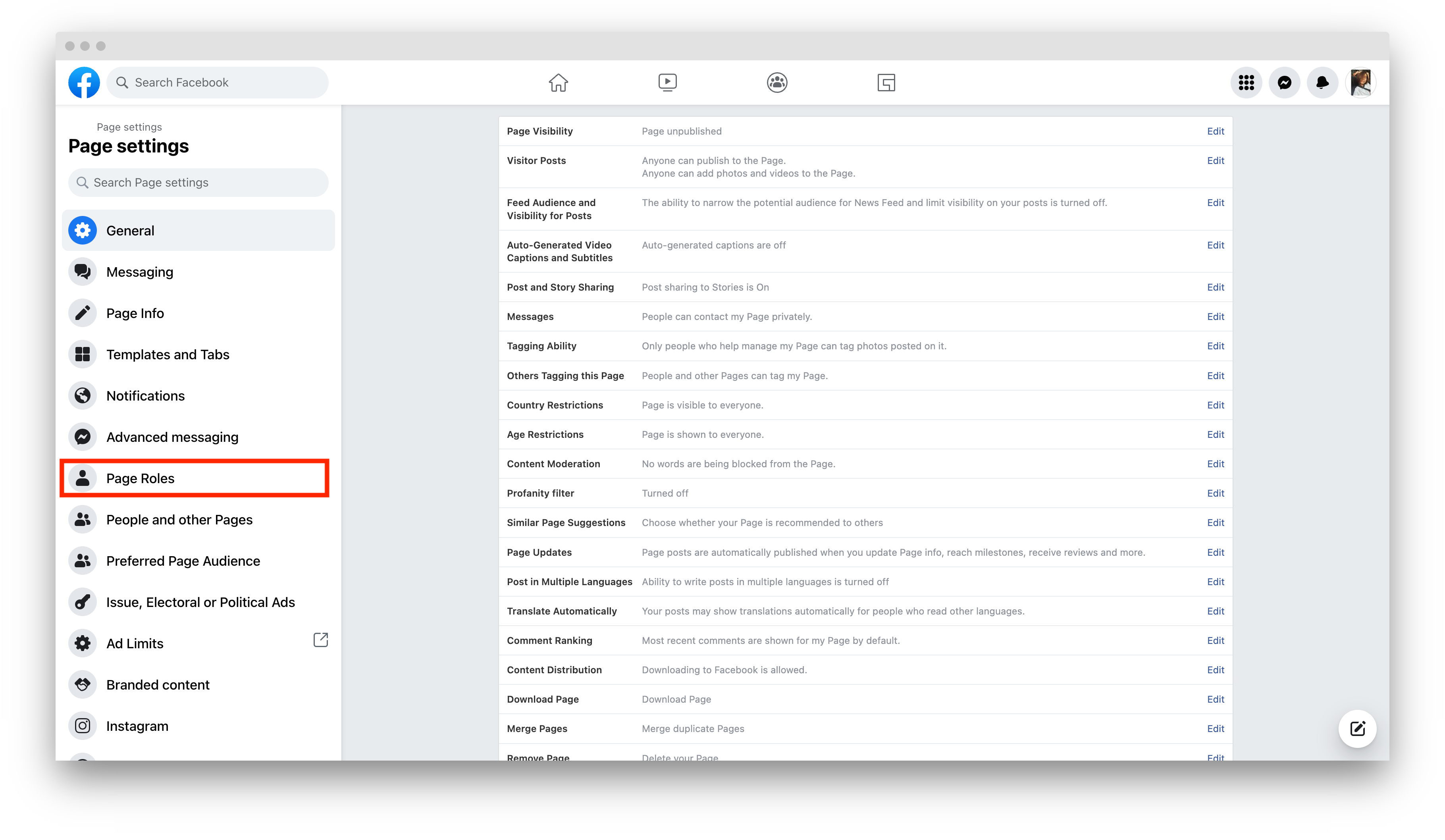
See below for examples of an owned and unowned page:
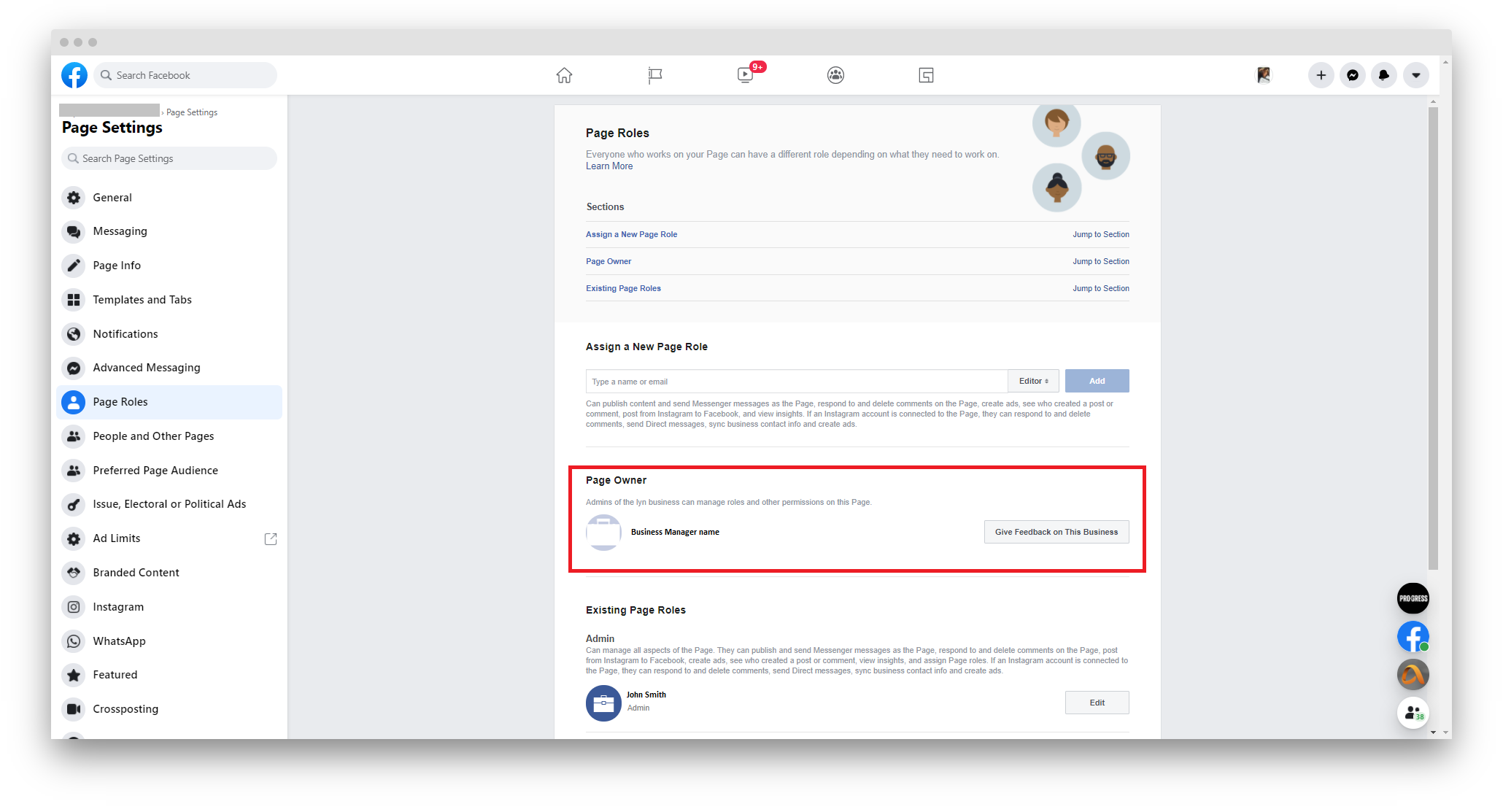
Owned by a Business Manager
The Business Manager's name will appear under Page Owner.
Not owned by a Business Manager
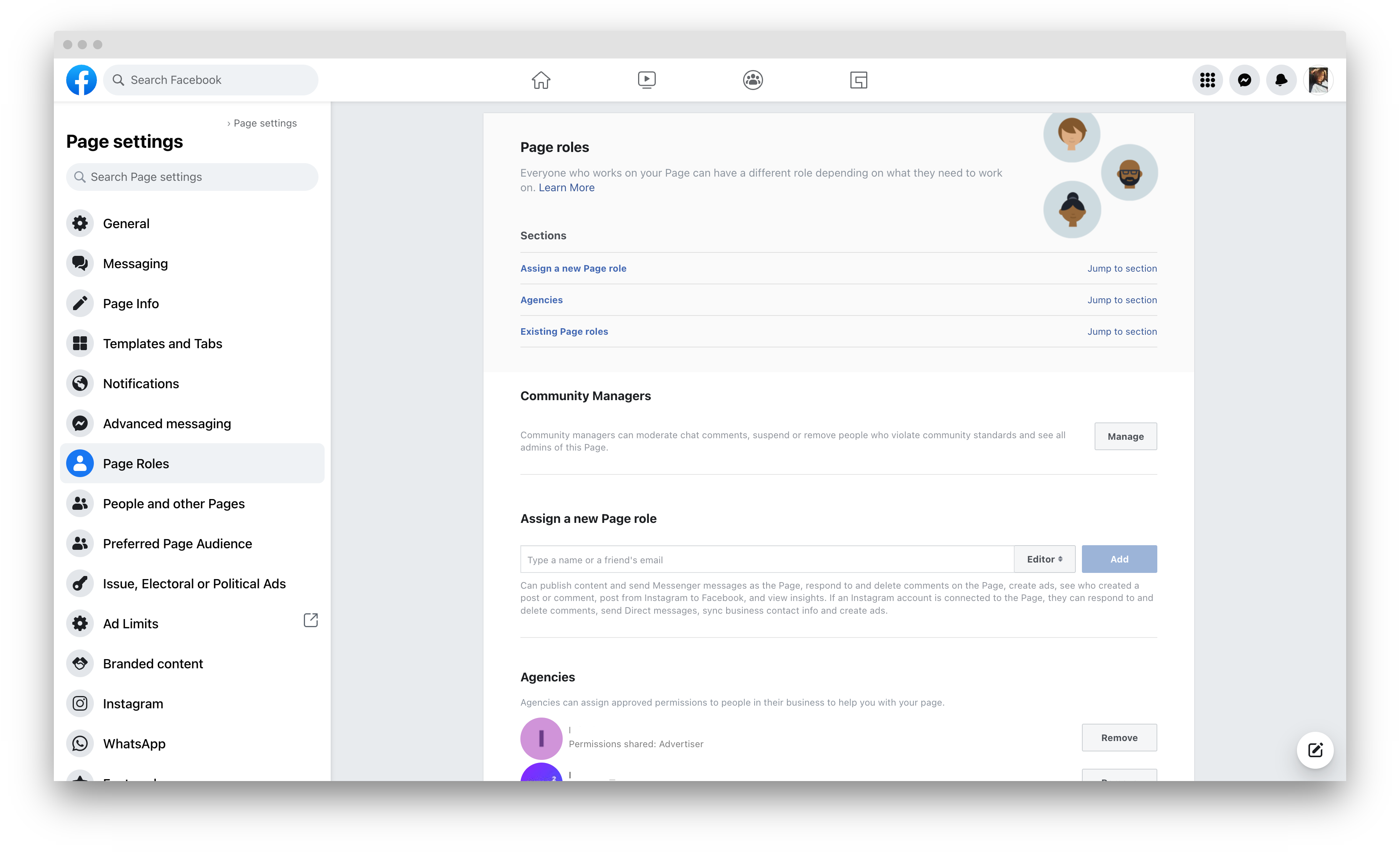
Your Facebook Page doesn’t have a Page Owner section under Page Roles.
Influ2 strongly recommends assigning your page to a BM. To learn more about assigning your page to one, follow this article.
Comments
0 comments
Please sign in to leave a comment.