If you don’t see an Influ2 request to access your Facebook page, there could be several reasons:
1. If your business page isn’t owned by a Business Manager (BM), please ensure you are the Admin of the Facebook Page.
- Only a person with admin access has the right to approve requests and assign roles on the Facebook Page.
- Alternatively, you can ask the Admin of the Facebook Page to do that on your behalf.
2. In another case, your Facebook Page may be owned by a 'Business Manager'.
To identify if this is the case, in Page Settings > Page Roles, you should see a Business Manager name as a Page Owner, as specified on the screenshot below:
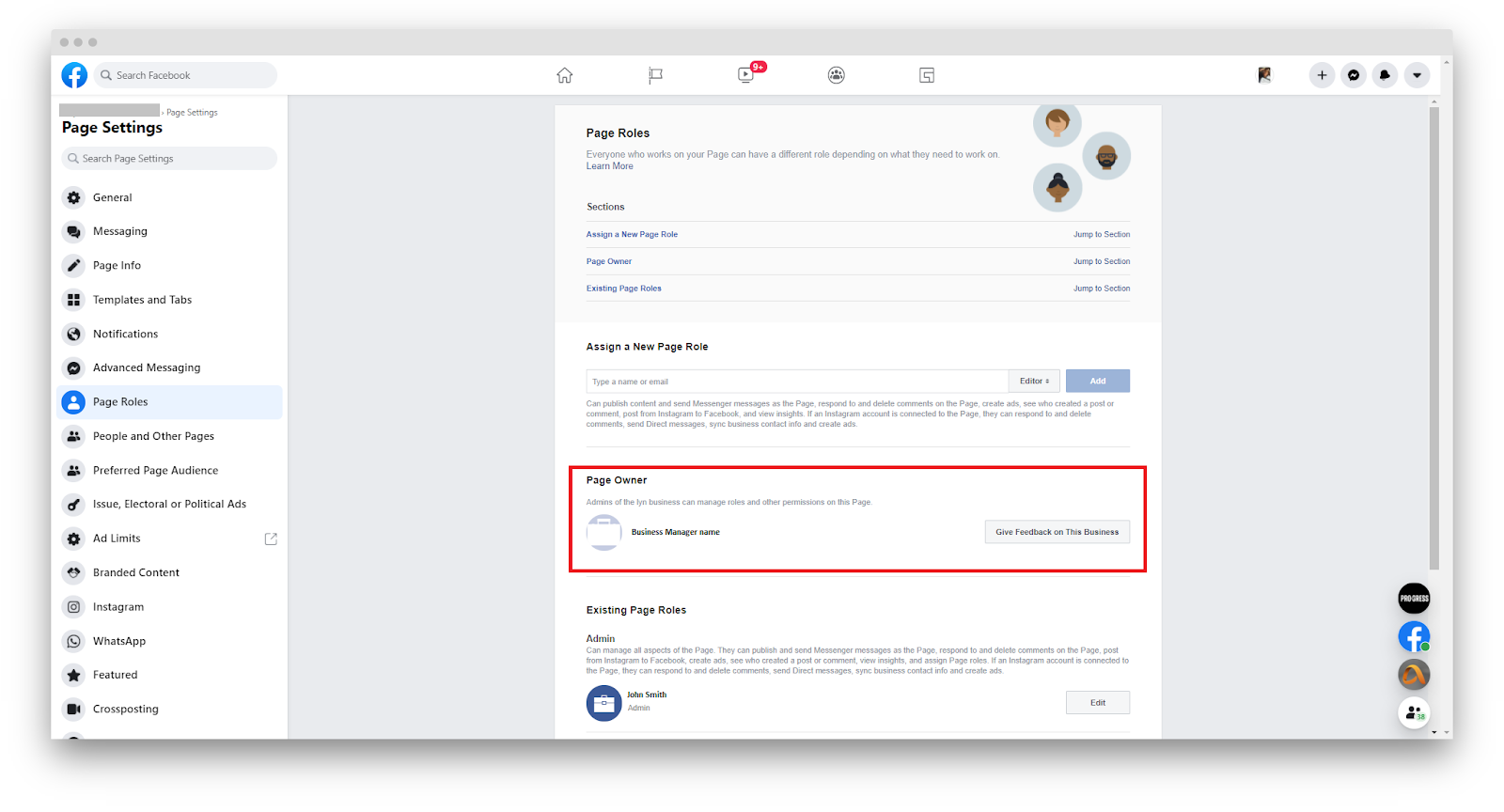
This means only the Admin of this Business Manager can approve the requests.
How Admin of the BM can approve the Page requests in Facebook.
There could be two cases how the Admin can approve Influ2 requests:
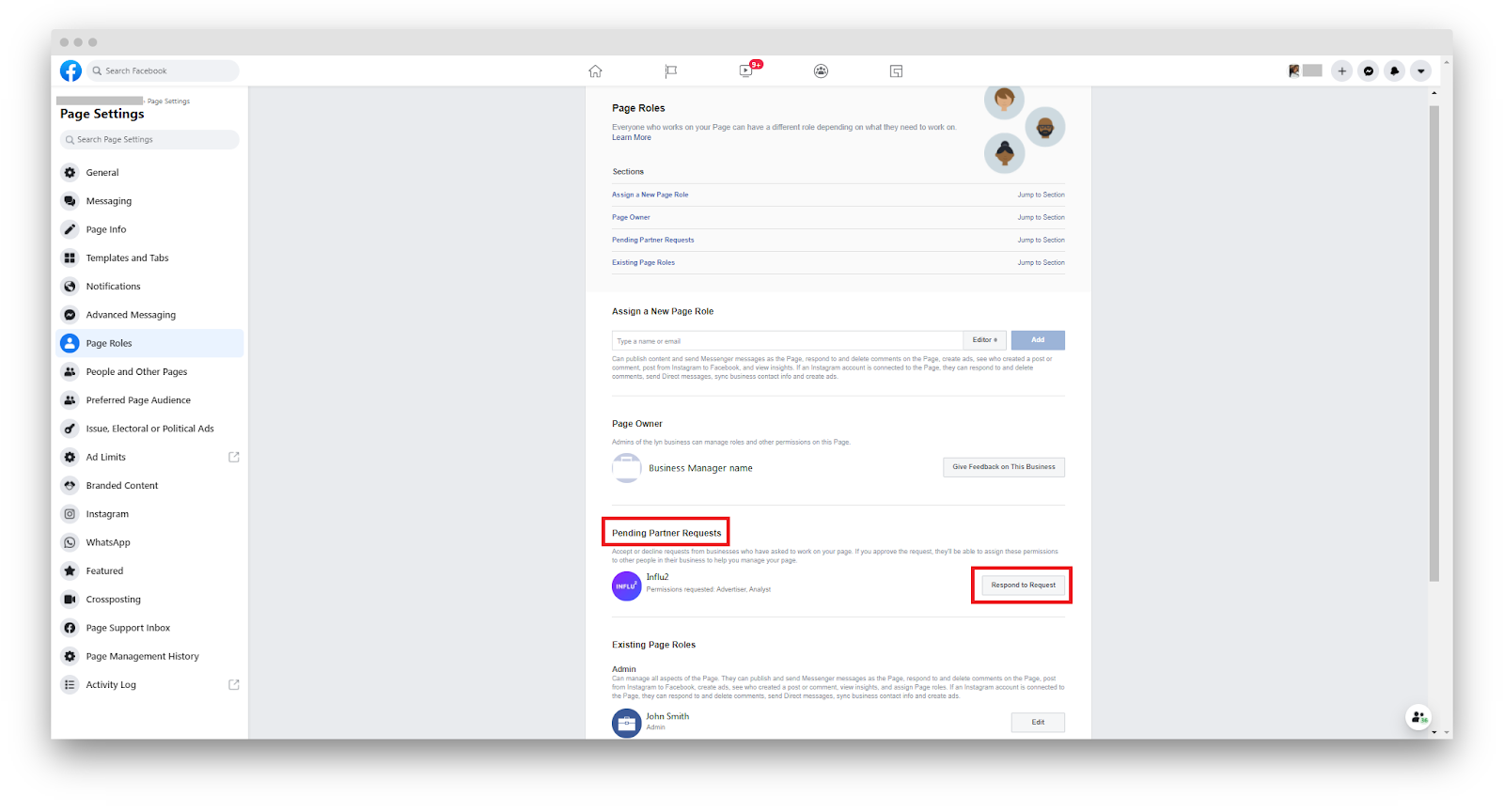
1. The requests can be approved on Page Roles level if the Admin of the BM is also an Admin of the Page. Screenshot below:
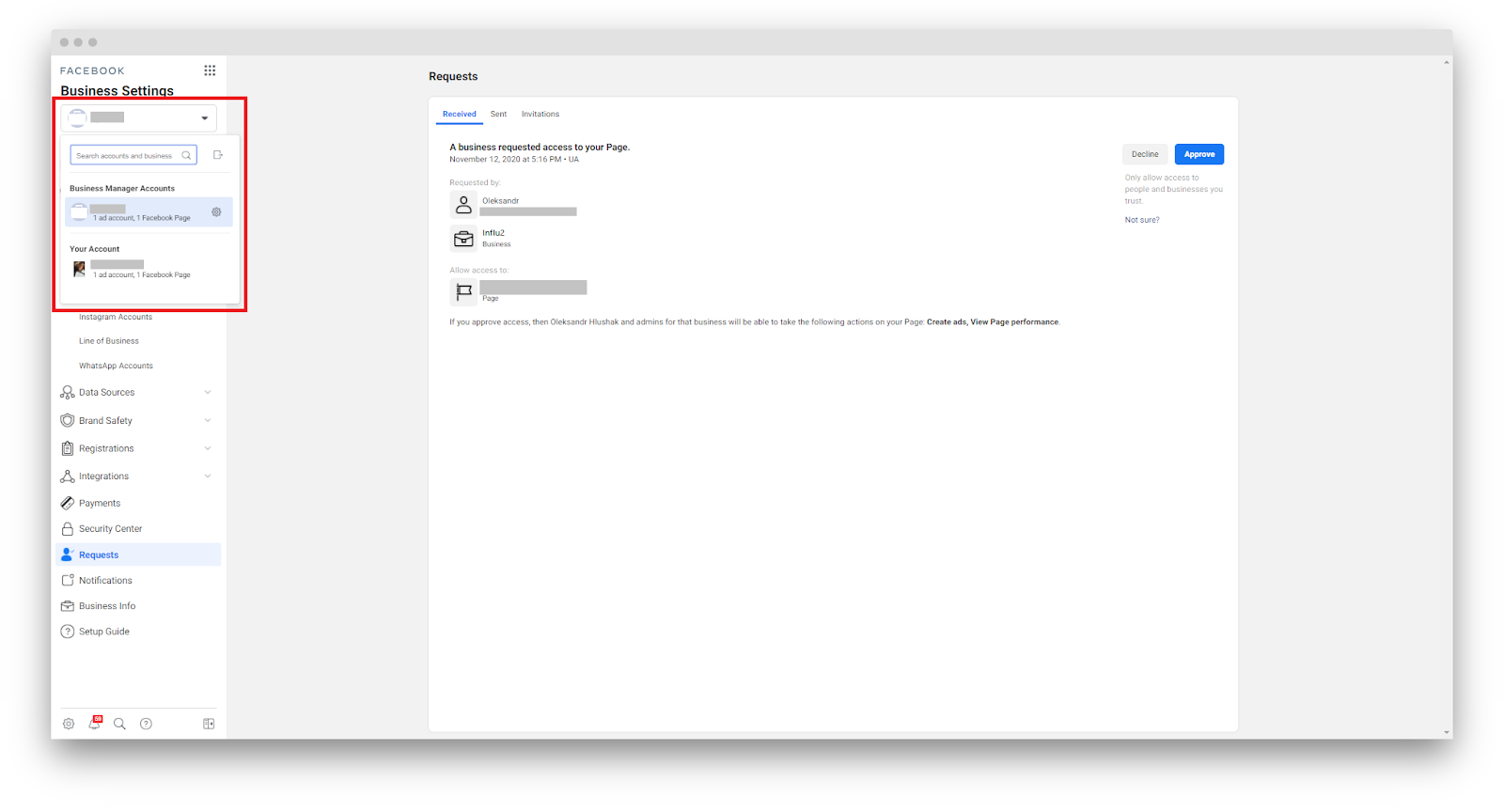
2. If the Admin of the BM doesn’t have admin access to the Page, he/she will be able to approve the requests in BM directly by this link: https://business.facebook.com/settings/requests
Please note: The Admin should be logged in as a correct Business Manager that your FB Page is owned by, otherwise, he/she won’t see the requests. They should choose the correct BM in the drop-down, as specified in the screenshot below.
Comments
0 comments
Please sign in to leave a comment.