When you confirm your Facebook page URL with your Customer Success Manager, our Media Buying team will send an Advertiser’s level request to your Facebook page.
There are two ways to find and approve the requests:
- Under Page Settings
- Under Business Manager Settings (if your page is owned by a Business Manager)
How to accept under Page settings
1. Go to your Facebook Page, and on the left-side menu click 'Settings'.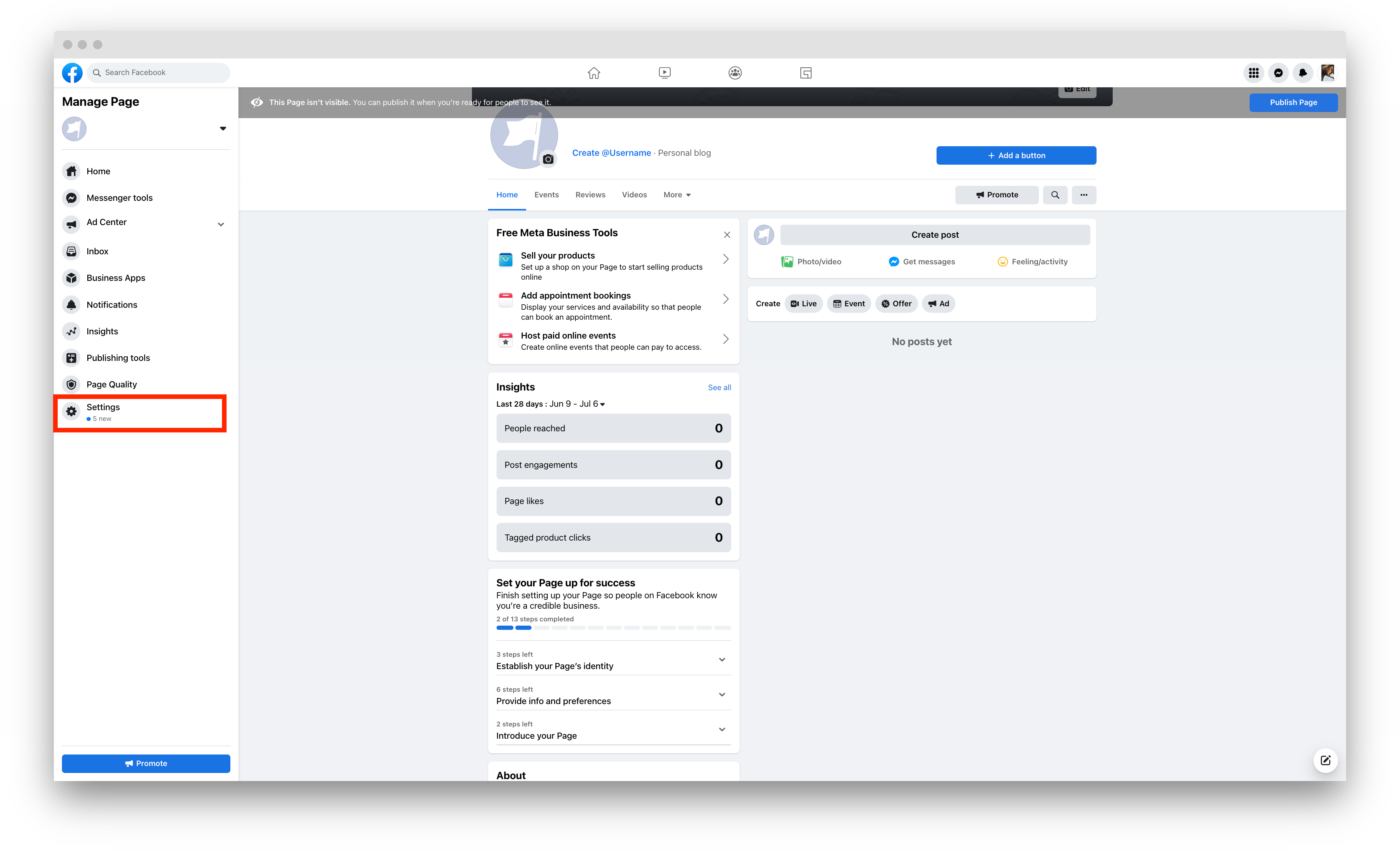
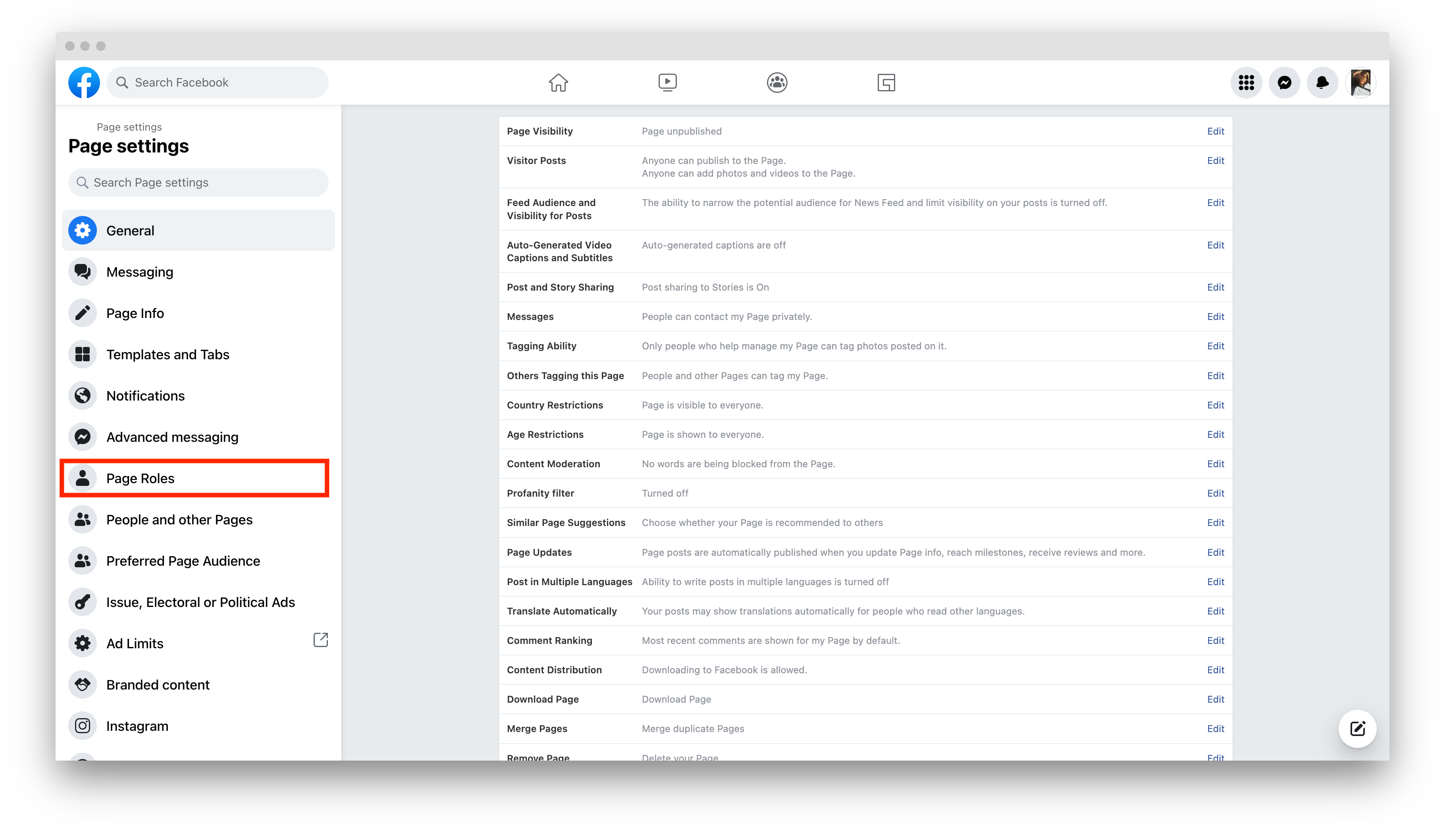
2. Click Page Roles.
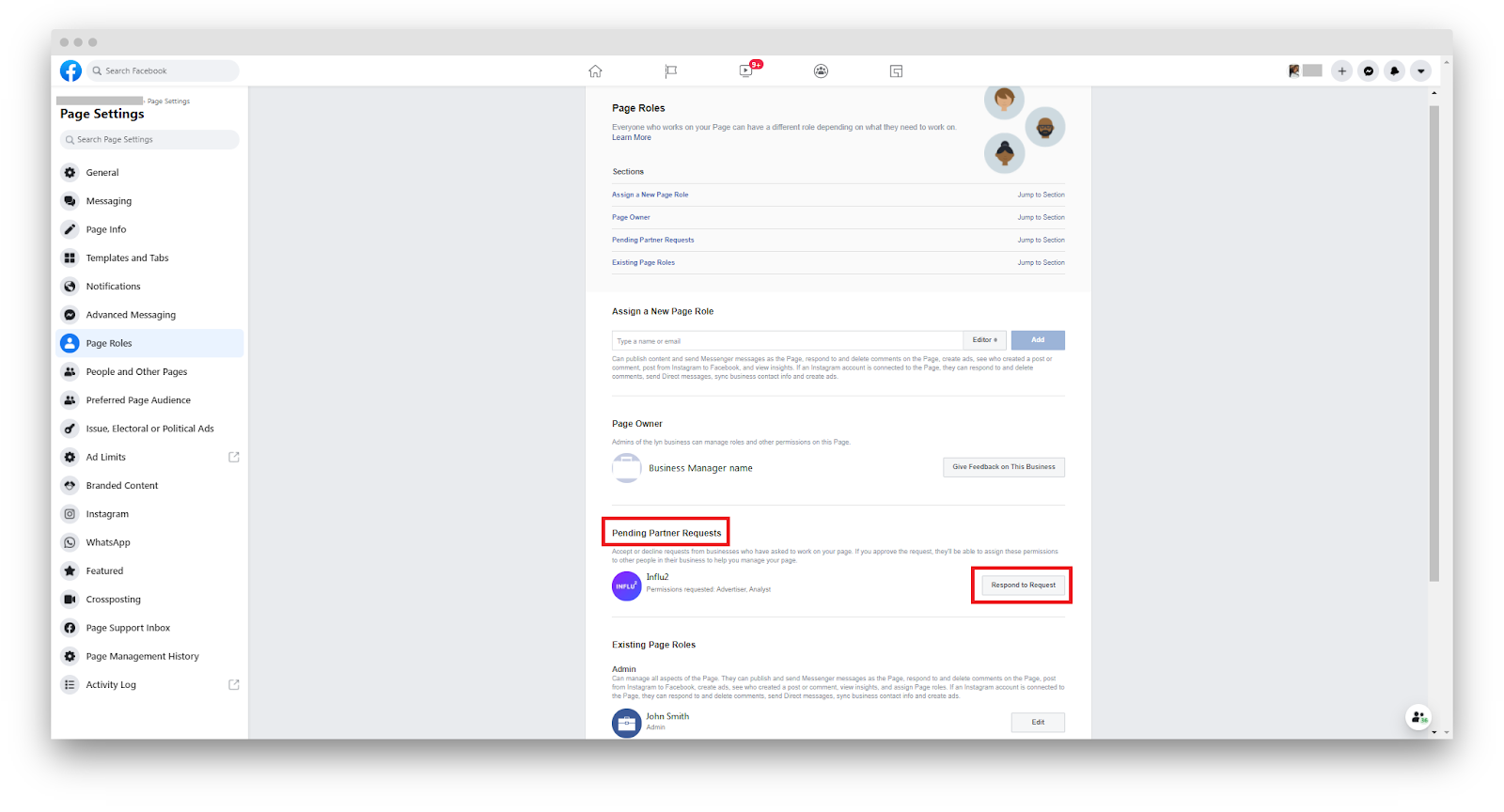
3. Find the Influ2 request and accept.
How to accept under Business Manager settings
You can see and accept the Influ2 requests here, if:
- You are not an admin of the Facebook Page, but you're an admin of the Business Manager that owns the Page.
- You are an admin of the Facebook Page and a Business Manager who owns your Facebook Page.
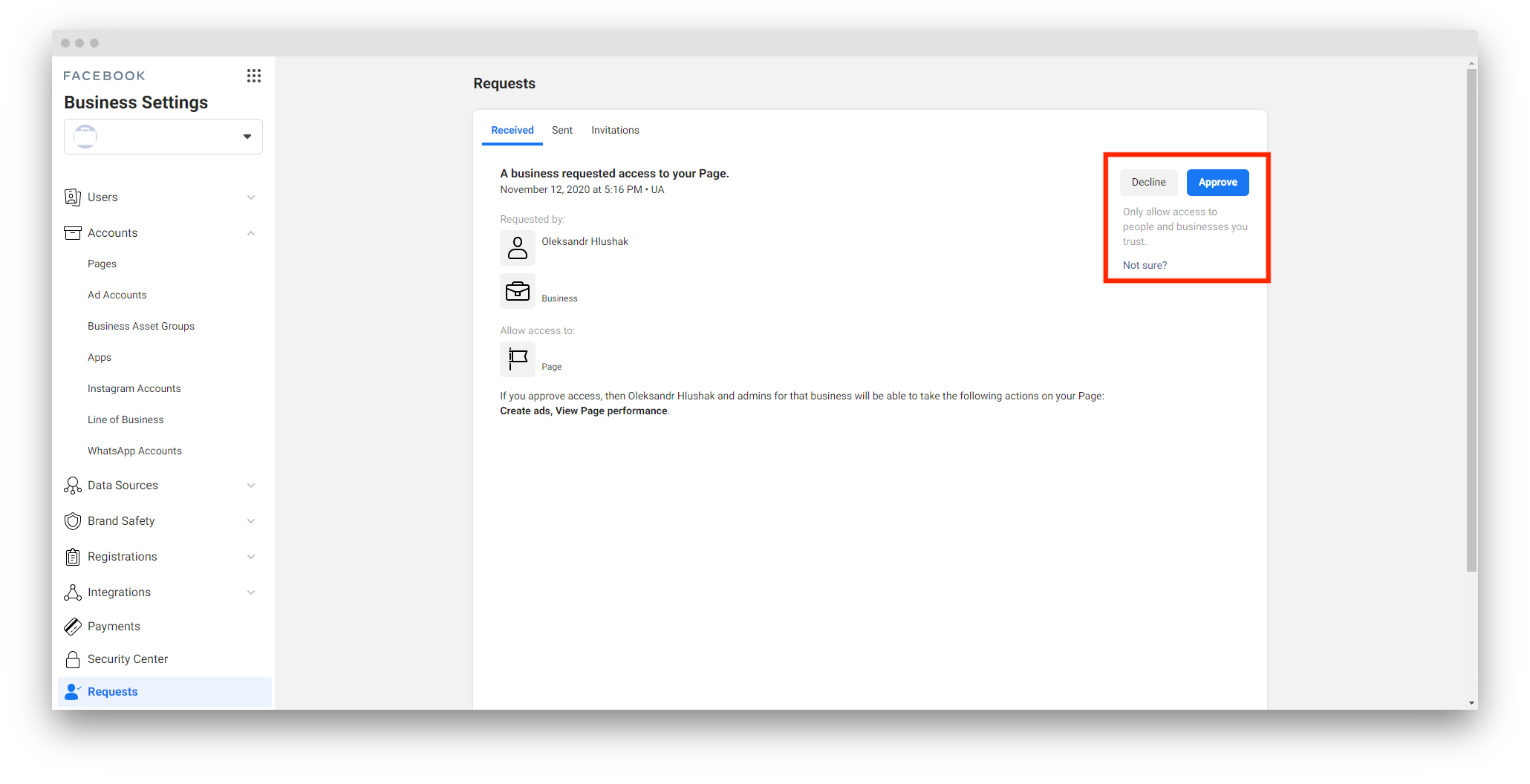
1. Visit the following link https://business.facebook.com/settings/requests
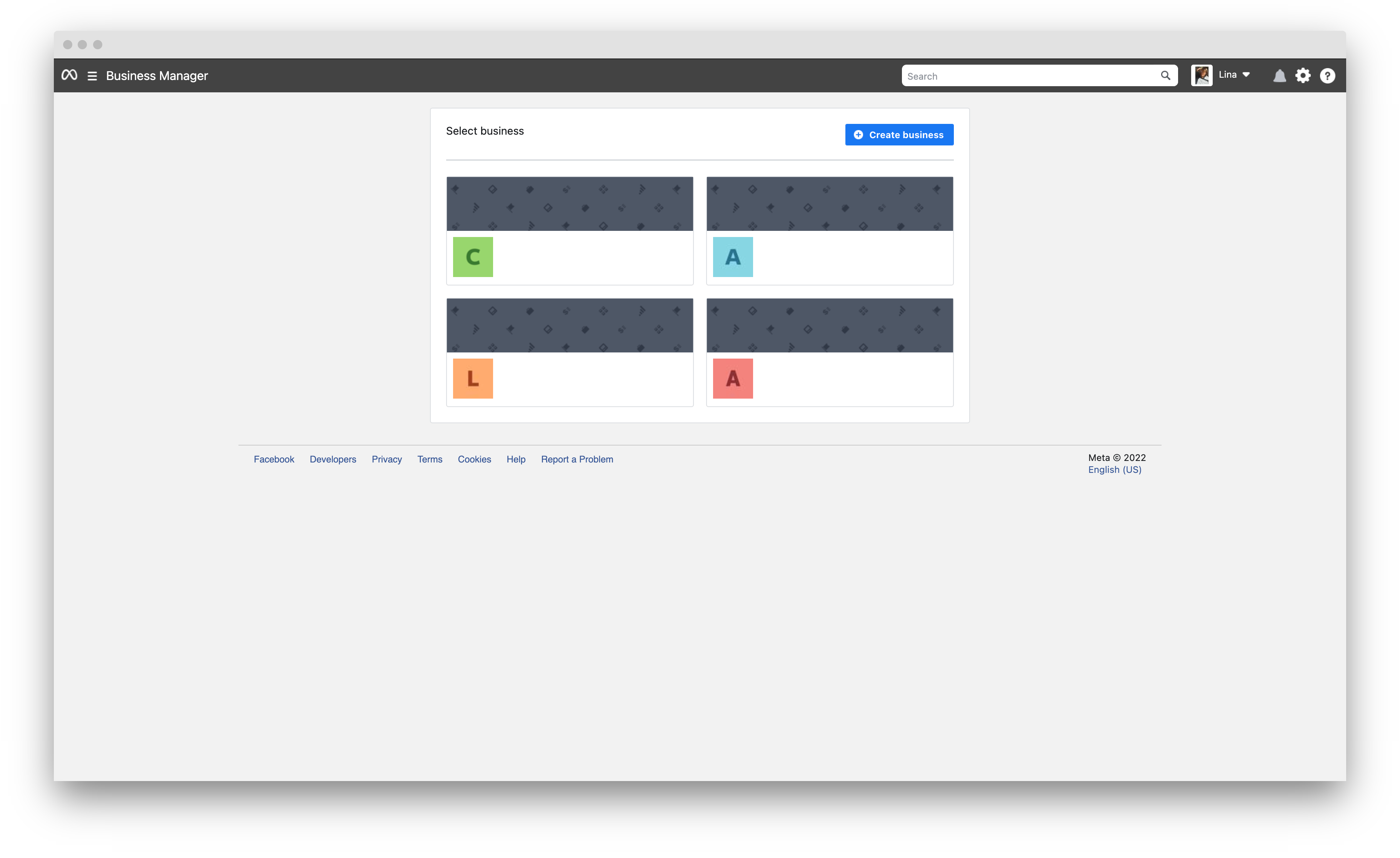
2. Choose the Business Manager that owns your Facebook Page:
3. Find and accept our request.
Comments
0 comments
Please sign in to leave a comment.