In order to show advertisements with Influ2 on LinkedIn, you first need to give access to Influ2's media buying admins. This allows our team to connect Influ2 and LinkedIn to share your Influ2 campaigns with this media channel.
To make Influ2 a sponsored content poster, you must follow these steps.
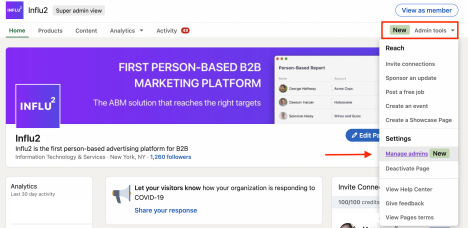
1. Go Admin tools > Manage admins on your company LinkedIn page.
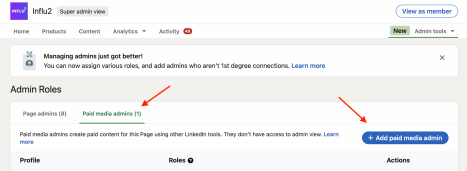
2. Then, click on Paid media admins tab and click on Add paid media admin button.
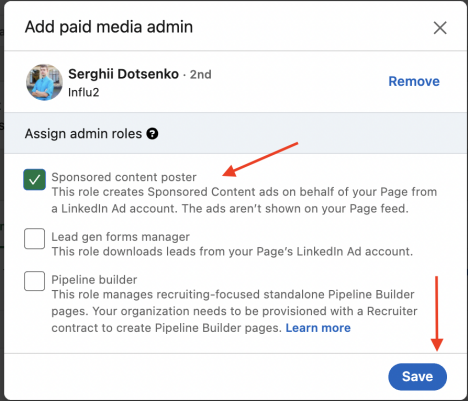
3. Find our media buyers and assign them as a Sponsored content poster. Here are their names and LinkedIn Profiles:
3. Check 'Sponsored content poster' and select 'Save'.
Comments
0 comments
Please sign in to leave a comment.